KUMO Quick Start Guide v4.2 3 www.aja.com
Dual and Quad Modes
In Dual mode, inputs and outputs use adjacent pairs of BNCs for each routed
signal. In Quad mode, four adjacent BNCs are used for each routed signal. See
"Dual and Quad Mode BNC Connectors and Signal" on page 24.
RS-422 Connector
KUMO includes an RS-422 female DB-9 connector for making serial connections
to other equipment. This control connection enables interoperability with
other devices, including those that use GVG Native Protocol. See "RS-422 Control
Specifications (Routers)" on page 42 for more information.
Older Model RS-422 Adapter
Older KUMO 1604, 1616, and 3232 routers (serial numbers ending in -R0) needed
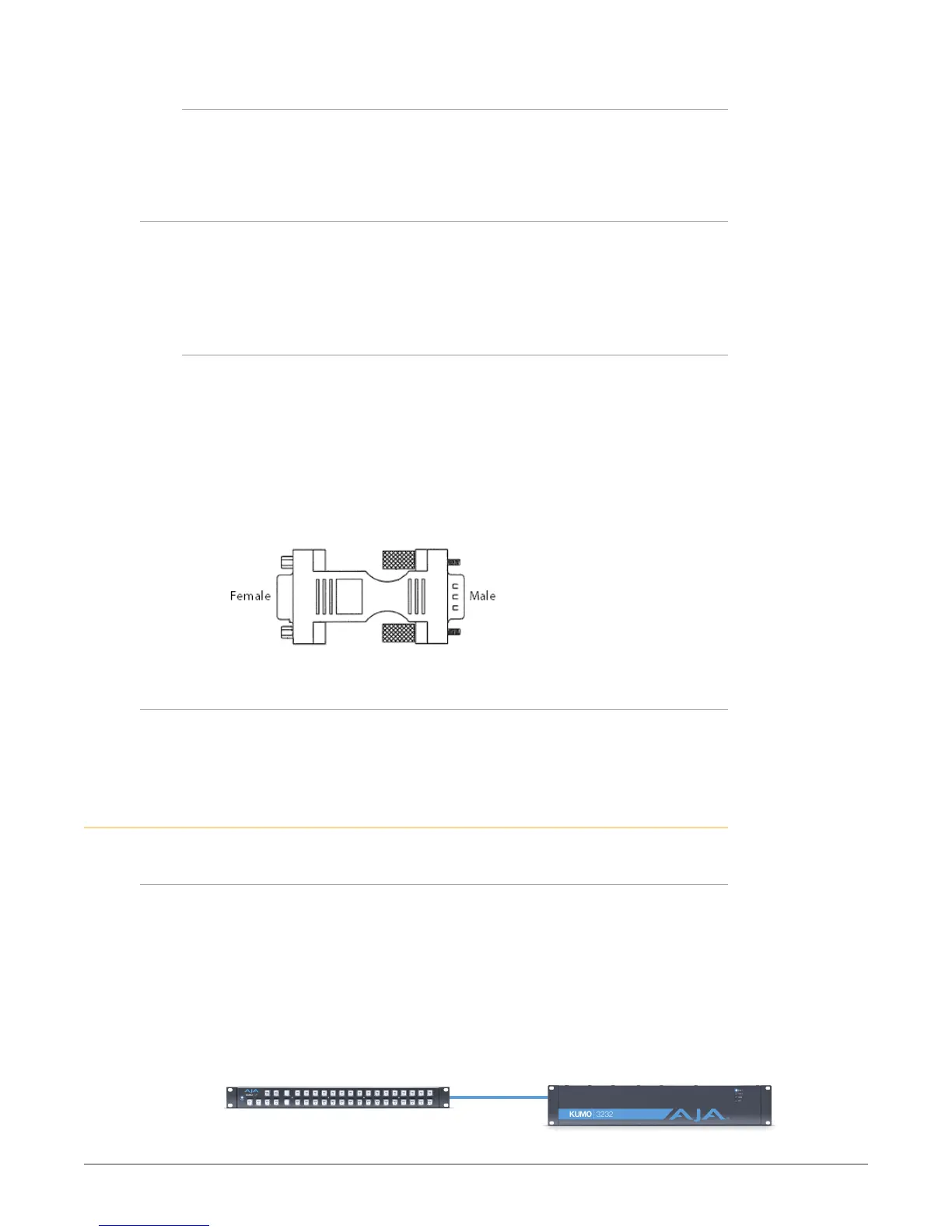
an RS-422 adapter for proper serial control operation (Figure 2) This adapter was
shipped with those older model routers. Be aware of this fact if your facility has a
mixture of older and newer KUMO routers that use RS-422 control.
NOTE: Only older KUMO 1604, 1616, and 3232 routers with a serial number ending in -R0
require this adapter. KUMO routers with serial numbers ending in -R1 or higher
do NOT require the adapter. This adapter is also NOT needed for any KUMO 6464
model router.
Figure 2. RS-422 Adapter
KUMO Control Panel Connections
Similar to the KUMO router, KUMO CP has an RJ-45 Ethernet connector and power
supply connectors, but has no BNC connectors and no RS-422 port.
Quick Start Configuration
Default Auto Configure KUMO Router and CP
If you purchased a KUMO CP along with a KUMO 1604, 1616, or 3232 router, the
easiest way to get your system operating is to simply direct connect them with
a single Ethernet cable and power up both units. KUMO devices are compatible
with both CAT-5 straight-through and cross-over Ethernet cables. The KUMO CP
will use an Auto Configure function to set itself up to operate with the KUMO
router it is directly connected to. The KUMO CP panel buttons will light and,
if SDI BNC connections have been made, you will be able to route sources to
destinations.
Figure 3. KUMO Router Direct Connection to KUMO CP
Direct Cat 5
Ethernet Cable
Connection
KUMO CP
KUMO Router


 To Next Page