KUMO Quick Start Guide v4.2 6 www.aja.com
Larger System Control Configurations
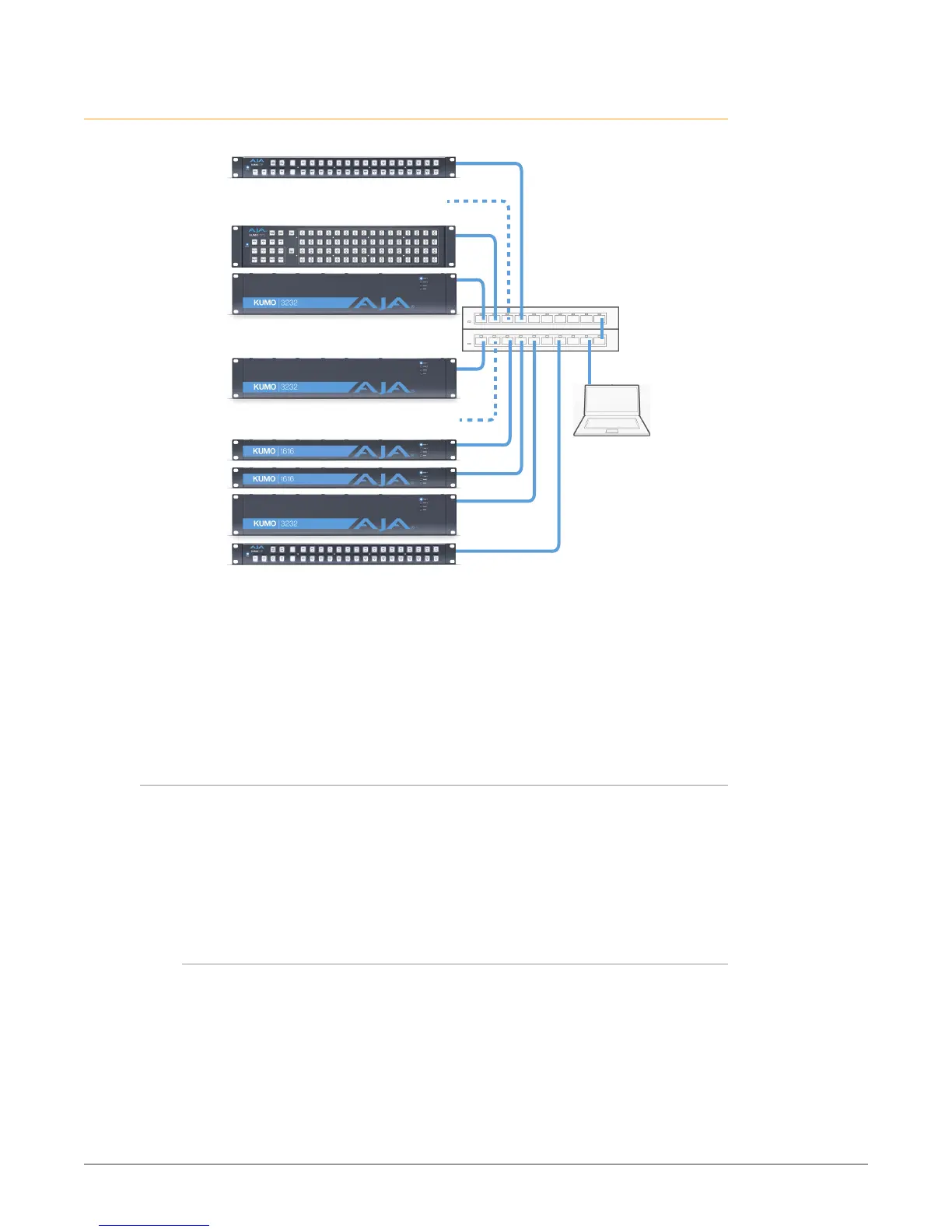
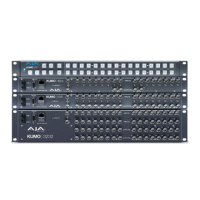
Figure 5. Multiple KUMO Routers and KUMO CPs with Web Browser UI Control.
LAN Switches or
Hubs
Multiple KUMO CPs anywhere on the network,
each CP can control up to four compatible
KUMO routers at a time.
Multiple KUMO Routers anywhere on the network,
controllable by any compatible KUMO CP.
Web Browser
User Interface
* KUMO CP2 can control
any KUMO Router in
any mode.
* KUMO CP can control
any KUMO Router
except 6464 in Normal
mode.
NOTE: The 32 button KUMO CP hardware Control Panel cannot be used with a KUMO
6464 router operating in Normal mode (only 32 buttons for 64 sources and
destinations). However the KUMO CP can be used when the KUMO 6464 is
operating in Dual or Quad mode. Control of the KUMO 6464 router in all modes
is available via the KUMO CP2 64 button hardware panel, web browser, Ethernet
control, and RS-422.
If the KUMO will be attached to a WAN, talk to your IT administrator and obtain
the details on how to configure the KUMO (DHCP or static IP).
TCP-IP Network Connection
KUMO supports traditional TCP-IP networking through DHCP or Static IP
addressing.
IMPORTANT: When using KUMO in a DHCP or Static IP addressed network, it is best to
select and maintain a consistent network scheme. If a mixture of DHCP and
Static IP addresses are used, inconsistent performance can result. The most stable
operation is achieved when all IP addressing is either DHCP or Static.
Default DHCP Configuration
DHCP is the default initial configuration routine for KUMO devices. If you start
up on a DHCP network, KUMO will accept assigned IP addresses. After DHCP
initialization, use your zeroconf browser to view the KUMO web page and view
the assigned IP address.


 To Next Page