10
In the right corner of the screen it should be noted that the average phase angle ground balance is
different for each instance of the device and can also depend on the technological variability in
parameters of the coil and the ambient temperature.
However do not forget that your device remains in the automatic balancing mode and at any
moment may deem it was time to rebalance to your shovel, boots, or hunting partner. If you want to
review the results and values of the current automatic ground balance procedure press OK to enter
manual mode and disable automatic balancing. In the upper right corner of the screen will appear M
instead of the letter A. To exit the ground balancing, click GROUND on the instrument panel.
Switching between modes is as simple as performing successive clicks of GROUND. While in the
manual balance mode by pressing - or + one is able to adjust
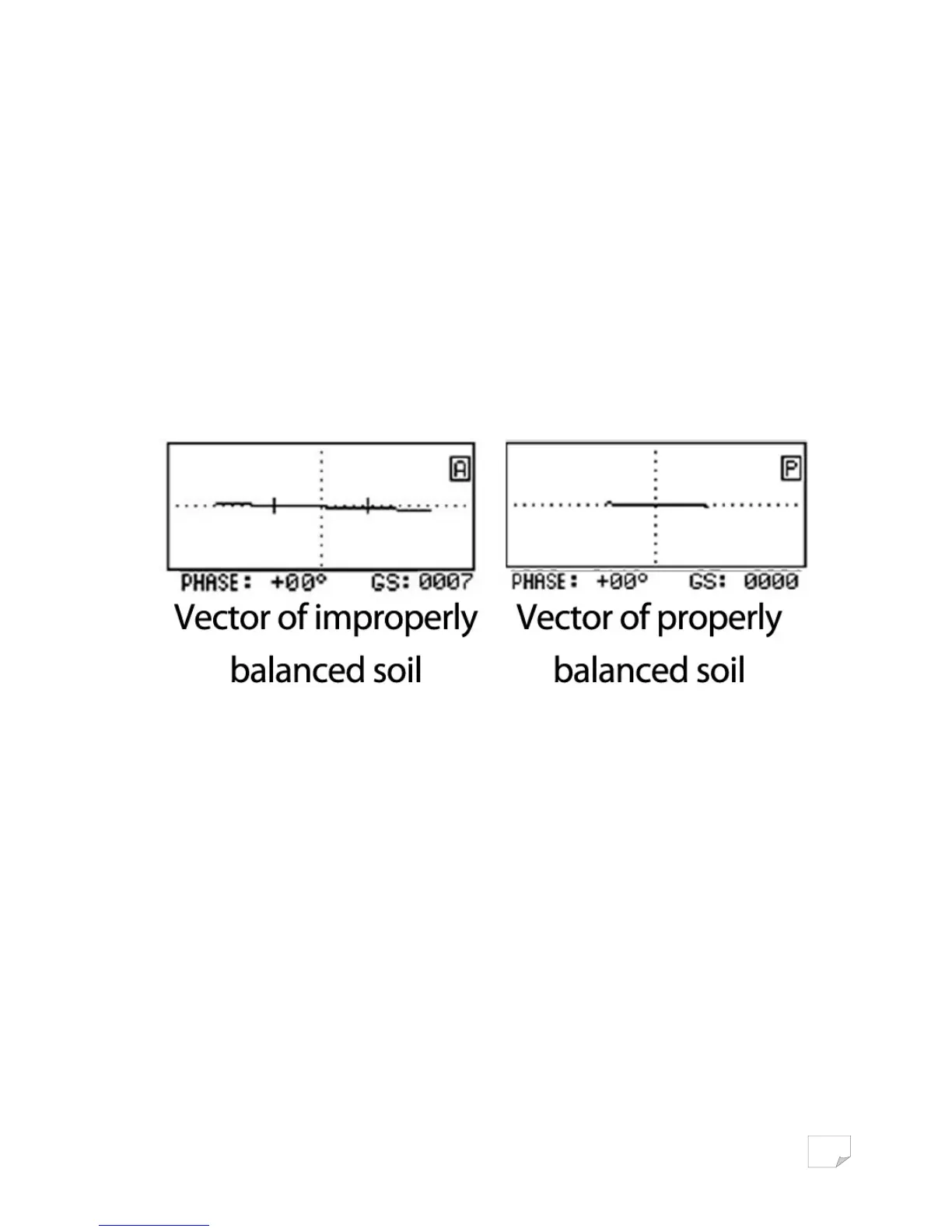
the ground balance in the proper direction. Bob the coil vertically above the ground (rising to 20 -
30cm / dropping by 3-5cm), making sure that the vector of the soil is along the horizontal axis and
that the hum is gone when raising or lowering the coil.
When working on the ground with uneven salinity, such as arable land, it is not always possible to
accurately ground balance the unit in automatic mode. This can be due to the uneven or lumpy
nature of the soil. This can sometimes leads to false responses from the identification channel. In this
situation the phase of the ground balance can vary by more than 3 degrees. If you encounter this
problem then perform the ground balance procedure as follows.
Find a clean patch of ground with a width of 60 centimeters. Switch to manual ground balance and
making short horizontal search sweeps with a width of 50cm at a height 3-5cm above the ground,
you will see a straight line on the ground the screen (if the line jumps, then there is metal present). In
this case, if the balance is wrong, you will hear a buzz from the soil and the soil line on the on the
screen will not be horizontal.
Press + and - until the line is horizontal and the buzz disappears. Your device is fine-tuned to the
ground. For a small increase in the depth of the identification of large silver and copper coins (kettles,
basins and other large pieces of highly conductive metals) it is possible, after performing automatic
ground balancing, to enter the manual balance mode and set the GB point from -1 to -2 from the
automatic GB reference point.


 To Next Page