12
of the search. Be aware, however, that the more discrimination that is used there is an increased risk
in missing valuable objects. In any event, the choice is yours. The discrimination range is set to the
position and width of the search sector. The metal detector will respond only to those objects that
have travel time curves (Hodographs) which fall between the left and Right border sector. For
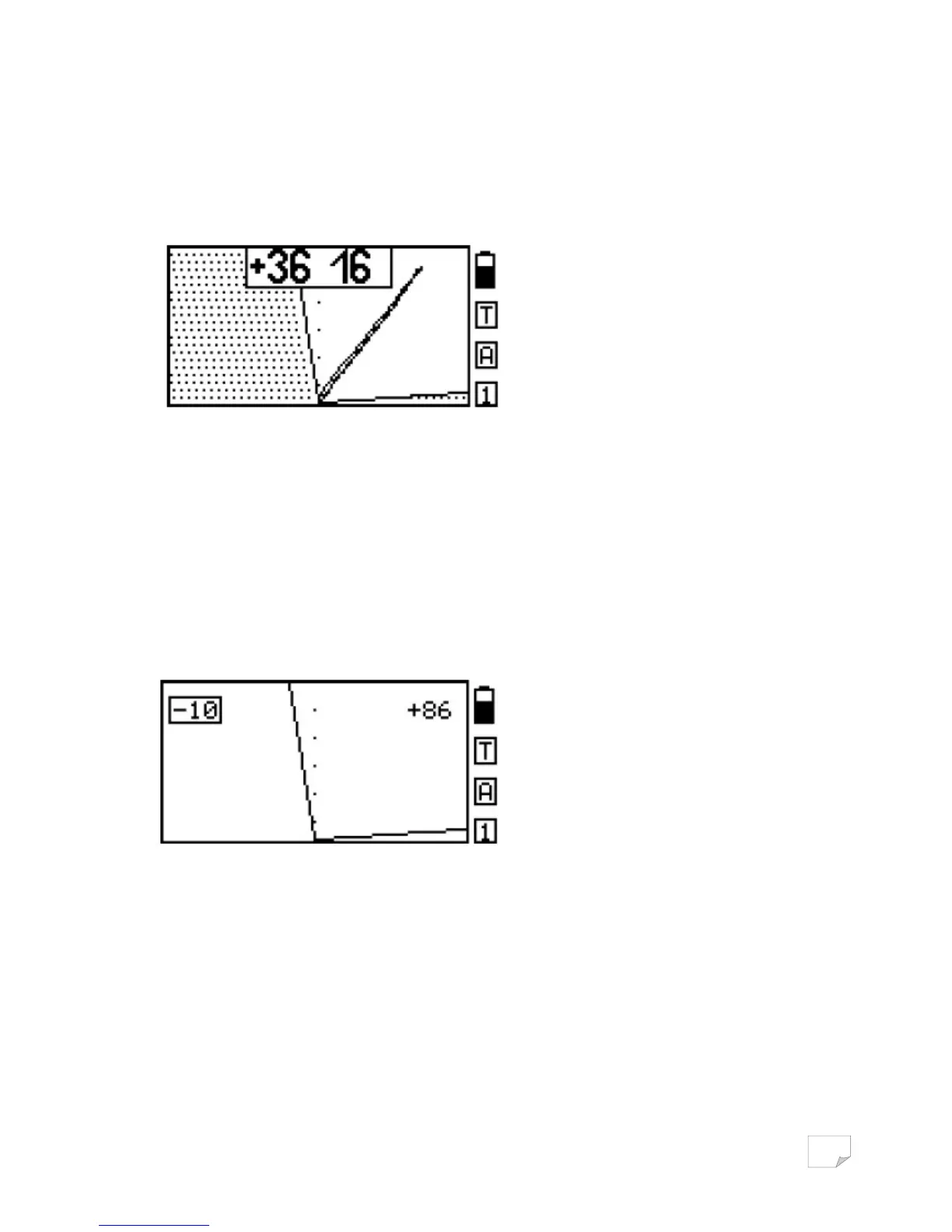
example, to search for non-ferrous objects your sector search screen may look like the graph below:
Pressing Button AM allows the user to quickly switch between modes “All Metal” and
“Discrimination” and then back again. The sector on the screen indicates that you are in a
discriminatory setup. An Audio response will occur only on those objects that fall in the clear
Hodograph area while targets that fall within the hatched area will not generate an audio response.
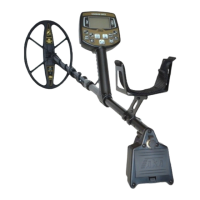
To configure the discrimination, click DISC. Now, by positioning the left and right edges of the search
sector you can set the desired area (level) of discrimination. At the top left and top right of the
screen are the current values of the search sector. These are in degrees of inclination relative to the
vertical axis of the screen. The currently selected border sector is highlighted by a rectangular frame
like shown on the graph below.
To change the position of the border sector use the search buttons + and -. To set up another border
sector Click OK.
As already noted in the discrimination mode, due to the influence of the soil, there is a risk of missing
objects if the search sector borders are set too narrow. To exit discrimination click DISC.
SEARCH MODE “All Metal”
Using the search mode "all metal “as opposed to “discrimination” mode you can detect any metal
objects whether they be ferrous or non-ferrous. Which mode is best to use is a personal preference.


 To Next Page