6
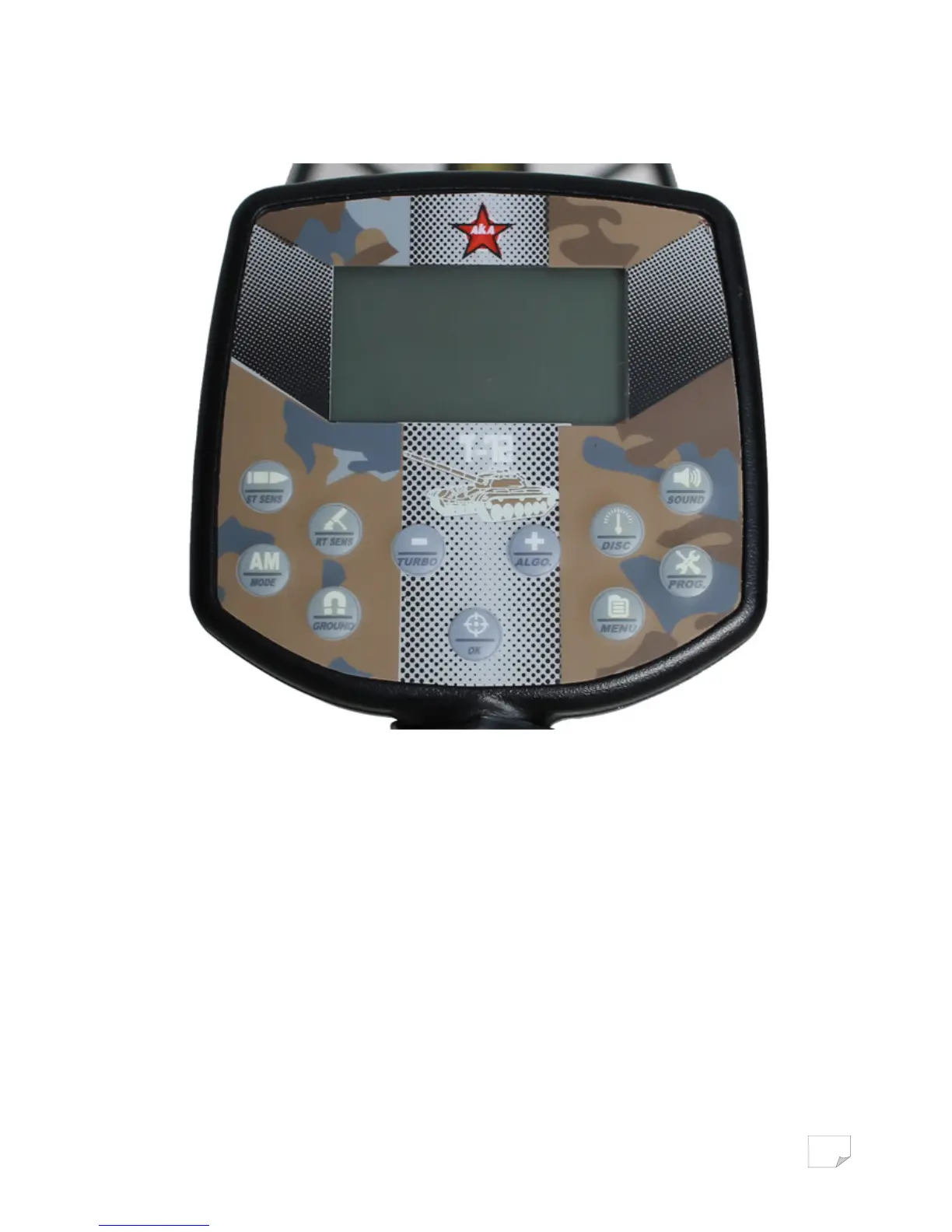
Located on the front panel are the LCD graphic display (with a resolution of 128 x 64 dots) and 11
touchpad controls.
ST SENS : Sets the sensitivity of the ST (short tone) channel
RT SENS : Sets the sensitivity of the threshold RT channel (Real Time)
SOUND : Sets the volume of the audio
DISC : Select the Discrimination edit mode
AM / mode : Switch between all metals/discrimination
- / TURBO : Navigate through the menu and change the settings, also turns the Turbo mode on/off.
+ / ALGO : Move through the menu and change the settings, as well as turn on/off the S Algorithm
PROG : Switches between User Programs
GROUND : Access the Ground Balance modes
OK : Confirms the selected settings. Selects a menu item. In search mode switches between Static
and dynamic (Pinpoint) modes. In ground balance mode switches between Auto and Manual GB.
MENU : Button to enter the Main Menu



 To Next Page