EasyManua.ls Logo

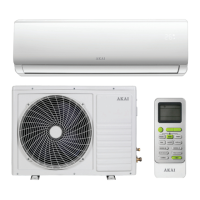
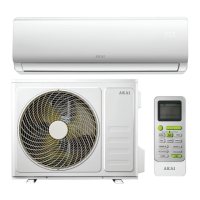
Akai AK-18000WIFI - User Manual

Akai AK-18000WIFI
32 pages
Print Icon
To Next Page IconTo Next Page
Loading...
USER MANUAL
PROTECT YOUR WARRANTY
This unit must be installed by a registered,
licensed installer as required by
Government regulations.
N13275
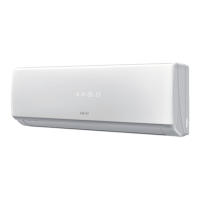
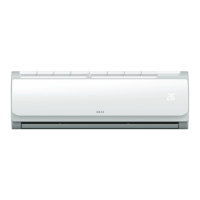
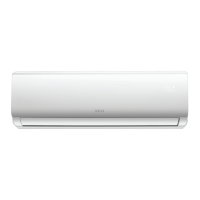
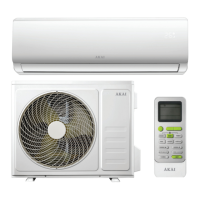
Model Number AK-9000WIFI
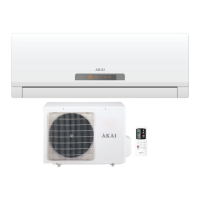
Wi-Fi Reverse Cycle
Split System Air Conditioner
Model Number AK-12000WIFI
Model Number AK-18000WIFI

Other manuals for Akai AK-18000WIFI

Questions and Answers

  • T
    trevorpattersonAug 7, 2025
    Why is the cooling (heating) efficiency not good in my Akai AK-18000WIFI?
    • J
      Jonathan JenkinsAug 7, 2025
      If your Akai Air Conditioner's cooling or heating isn't working well, adjust the fan speed if the temperature setting is unsuitable. Clear any obstructions from the air intakes or outlets. Clean the air filter if it's dirty. Increase the fan speed if it's set to low. Also, check for other heat sources in the room.
  • M
    Megan GutierrezAug 11, 2025
    What to do if the remote control of Akai AK-18000WIFI is unresponsive?
    • K
      knappmelissaAug 11, 2025
      If the remote control for your Akai Air Conditioner is unresponsive, move closer to the indoor unit. Replace the remote control batteries. Remove any obstructions that may be blocking the path to the signal receiver.
  • S
    Sarah ParkerAug 17, 2025
    What to do if remote control via smartphone does not work, despite correct connection of Akai AK-18000WIFI Air Conditioner?
    • K
      Kristen CookAug 17, 2025
      If remote control via smartphone does not work, despite correct connection, restart your AKAI Home App or reconnect your smartphone with the wireless router.
  • J
    Justin MartinAug 22, 2025
    Why is my Akai Air Conditioner not working?
    • T
      Tommy CoxAug 22, 2025
      If your Akai Air Conditioner isn't working, first check the power supply and ensure it's properly connected. If the timer-on function is activated, cancel it. For issues like a damaged fan motor, faulty compressor, thermomagnetic circuit breaker, protective device, fuse, incorrect voltage, or a damaged electronic control board, it's best to call for service.
  • C
    Christian HutchinsonAug 27, 2025
    How to solve problems with Wi-Fi connectivity of Akai AK-18000WIFI?
    • M
      Mr. Richard BushAug 27, 2025
      If you are experiencing problems with Wi-Fi connectivity on your Akai Air Conditioner, first ensure that Wi-Fi is enabled on your smartphone. Then, verify that your smartphone and the air conditioner are connected to the same wireless router. If the air conditioner is correctly connected, the Wi-Fi indicator light on the display should be on.
  • J
    josephnormanAug 31, 2025
    Why is there a strange odor coming from the outlet of my Akai AK-18000WIFI?
    • S
      stephen80Aug 31, 2025
      If your Akai Air Conditioner is emitting a strange odor, it could be due to odors recirculating from building materials, furniture, or smoke in the room. Additionally, a dirty air filter could be the source, so try cleaning the filter.

Summary

Important Safety Instructions

Electrical Safety

Covers warnings related to voltage, plug, outlet, cord, water, and disconnection procedures.

Important Safety Instructions (Cont.)

Usage Conditions and Restrictions

Details guidelines for domestic use, intended purpose, common sense, usage restriction, children, dust filter, exposure to cold air, temperature, ventilation, and keeping clear.

Important Safety Instructions (Cont.)

Cleaning, Servicing and Repair

Provides instructions on cleaning the unit, air filters, and professional care for servicing and repairs.

Getting Started

Before First Use

Outlines essential checks and preparations before operating the air conditioner for the first time.

Important Safety Advice

Lists critical temperature ranges for efficient cooling and heating, and notes on refrigerant usage.

Operation Modes

Automatic Mode

Explains how the unit automatically adjusts temperature and fan speed for comfort based on ambient conditions.

Cooling; Heating Mode

Details how to set the desired temperature and fan speed for cooling or heating the room.

Wi-Fi Control

Wi-Fi Technology Overview

Introduces the Wi-Fi feature for remote control and lists requirements for setup.

Wi-Fi Control (Cont.)

Remote Control via Mobile App

Explains how to use the mobile app interface to control various functions of the air conditioner.

Wi-Fi Control (Cont.)

Troubleshooting Guide

General Air Conditioner Problems

Lists common issues like unit not working, remote unresponsive, and inefficient cooling/heating with possible causes and solutions.

Troubleshooting Guide (Cont.)

Service Required Scenarios

Lists critical issues that necessitate immediate shutdown and professional service.

Cleaning and Maintenance

Akai AK-18000WIFI Specifications

General IconGeneral
RefrigerantR32
WiFiYes
Power Supply220-240V, 50Hz
Remote ControlYes
Auto RestartYes
Sleep ModeYes
TypeSplit System
Cooling Capacity18000 BTU
TimerYes

Related product manuals