Recording with the MPK Mini:
• Make sure the MPK is connected to input
1 or 2 on the back of the MPC.
• Check out the MPK mini manual for a
guide to all the dials and buons.
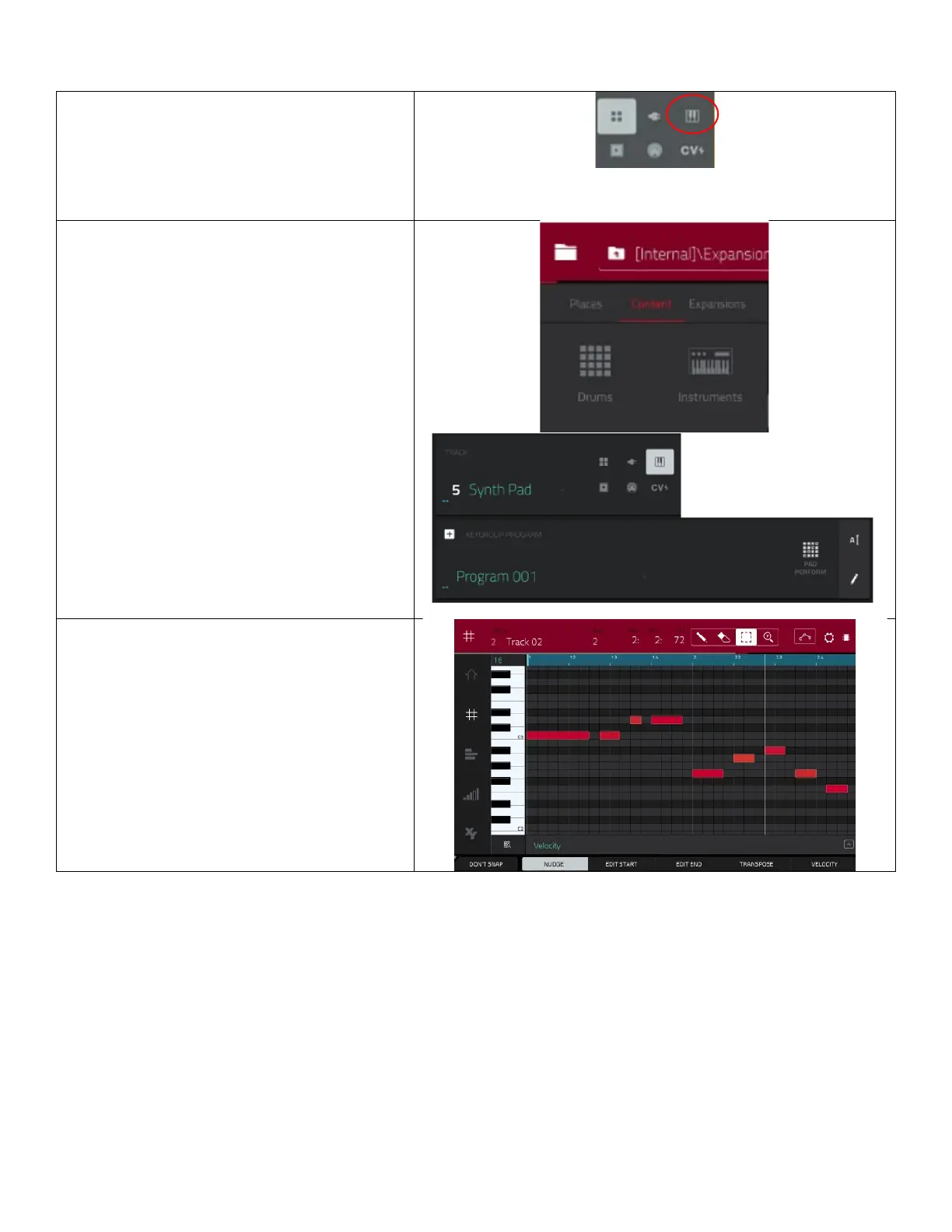
• From the main page, start a new track
and select the keyboard program.
Use
and switch the
filter from drums to instruments
to browse or search for different bass or
synth sounds.
• Return to the main page and select your
new sound program from the
at the boom of the
page.
• You can use the pads on the MPC to play
a bass line or melody, but the MPK makes
playing chromacally easier.
• Use the
on the MPK to
raise or lower the octave range.
• Repeat the same recording process used
for the drums.
• Use the grid mode to edit and change
notes.


 To Next Page