MEDIA LIBRARY
Support Memory Card & U-disk
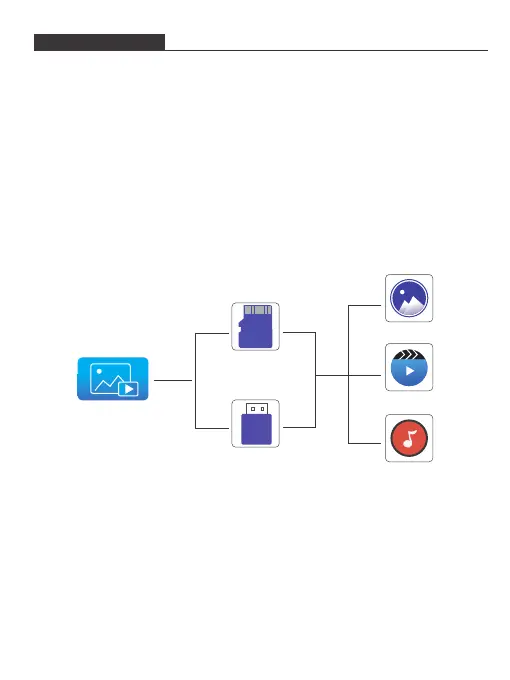
1. Select and click Media icon in the main projector interface.
2. Select and click memory/USB icon in the main projector interface.
3. Then you can choose to read the contents of memory card or U-disk on the
projection like photos, videos or music.
• Video format support: H.263, H.264, VC-1, RV8/9/10, VC-1 MPEG-1, MPEG-2,
MPEG-4, MKV,RM,RMVB etc. Support up to 1920*1080.
• Music Format support: mp1/mp2/mp3/WMA/AAC/FLAC/APE/AMR-NB/WAV/
PCM/ADPCM.
• Picture Format support: jpg/png/bmp.
Media
memory Card
USB
Photo
Video
Music
9


 To Next Page