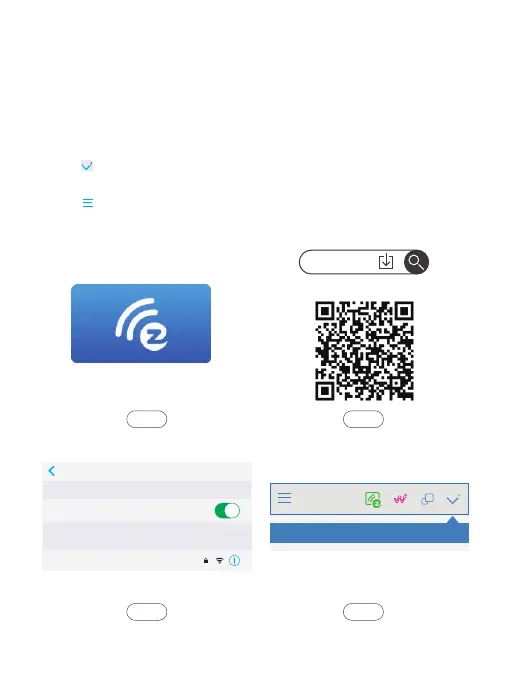
Other devices EZCast connection:
1. Select and click EZCast icon in the main projector interface.
2. Download “EZCast” app by scanning the below QR code/scanning the QR code
on the EZWire interface/searching for “EZCast” in App Store/Google Play/official
website www.ezcast.com, etc.
3. Connect your device with the Wifi hotspot “AKASO_FOCUS_ ******” provided
by EZCast interface, the password is “87654321”.
4. Select on the top left corner of the “EZCast” app, then select projector ID
“AKASO_FOCUS_ ******” to connect your device to the projector.
5. Select on the top left corner of the “EZCast” app, select “Mirror Off” to turn
on the Mirror function. Then wait a moment, the screen content on the iPhone
will be displayed on the projector screen.
EZCast
Settings Wi-Fi
Wi-Fi
AKASO_FOCUS-781C01081
CHOOSE A NETWORK...
AKASO_FOCUS_******
EZCast
App Strore | Google Play
Step 2Step 1
Step 4Step 3
7


 To Next Page