SP2/SP8/SP8-X20 Manual
Updated until firmware 413 - 11 -
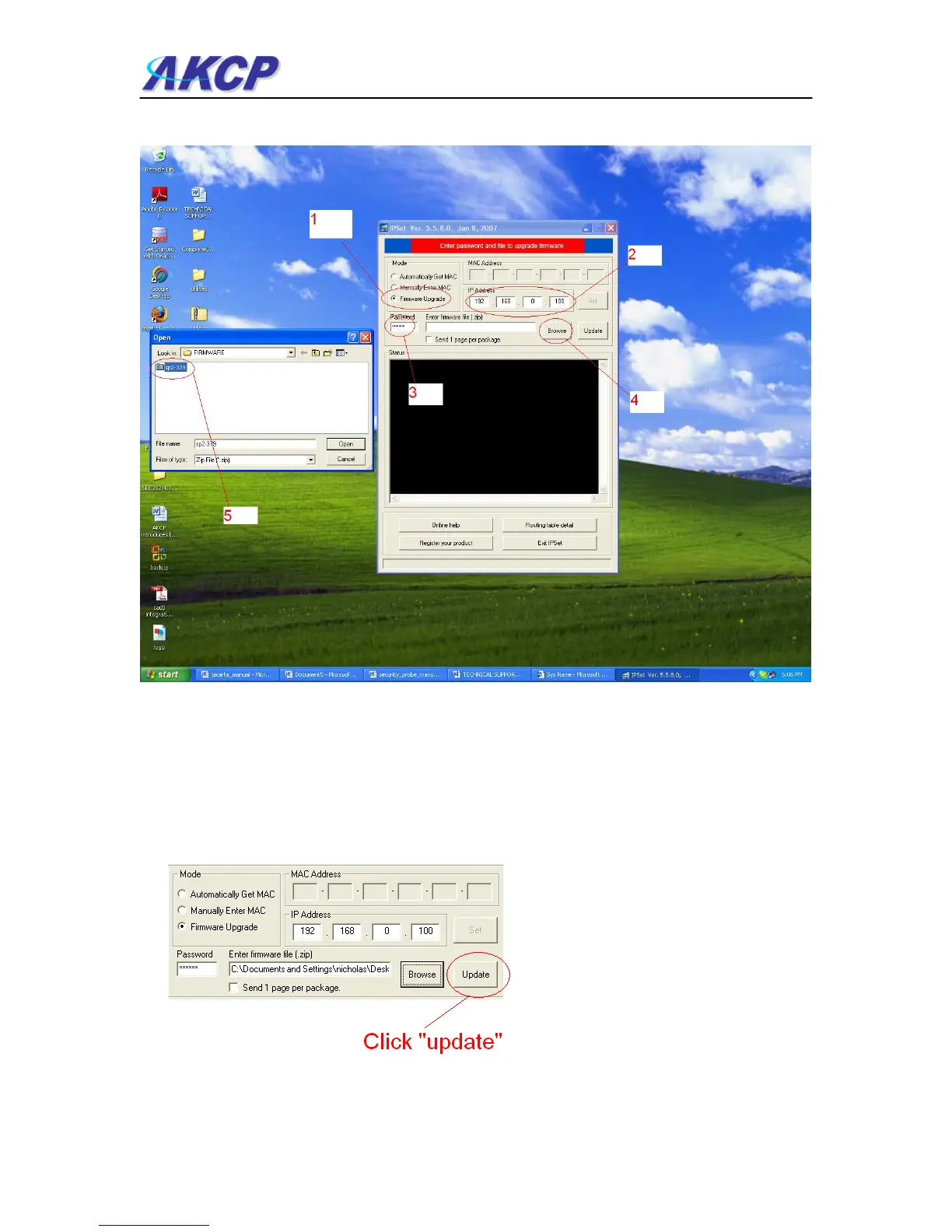
2) When IPSet loads you will be met with a screen similar to this:-
1) Select firmware upgrade
2) Type in the IP address of your unit
3) Type in your administrator password
4) Click browse, a new window will pop up
5) Select the zipped firmware file, click open.
6) When complete the message “upgrade complete” will be displayed



 To Next Page