SP2/SP8/SP8-X20 Manual
Updated until firmware 413 - 22 -
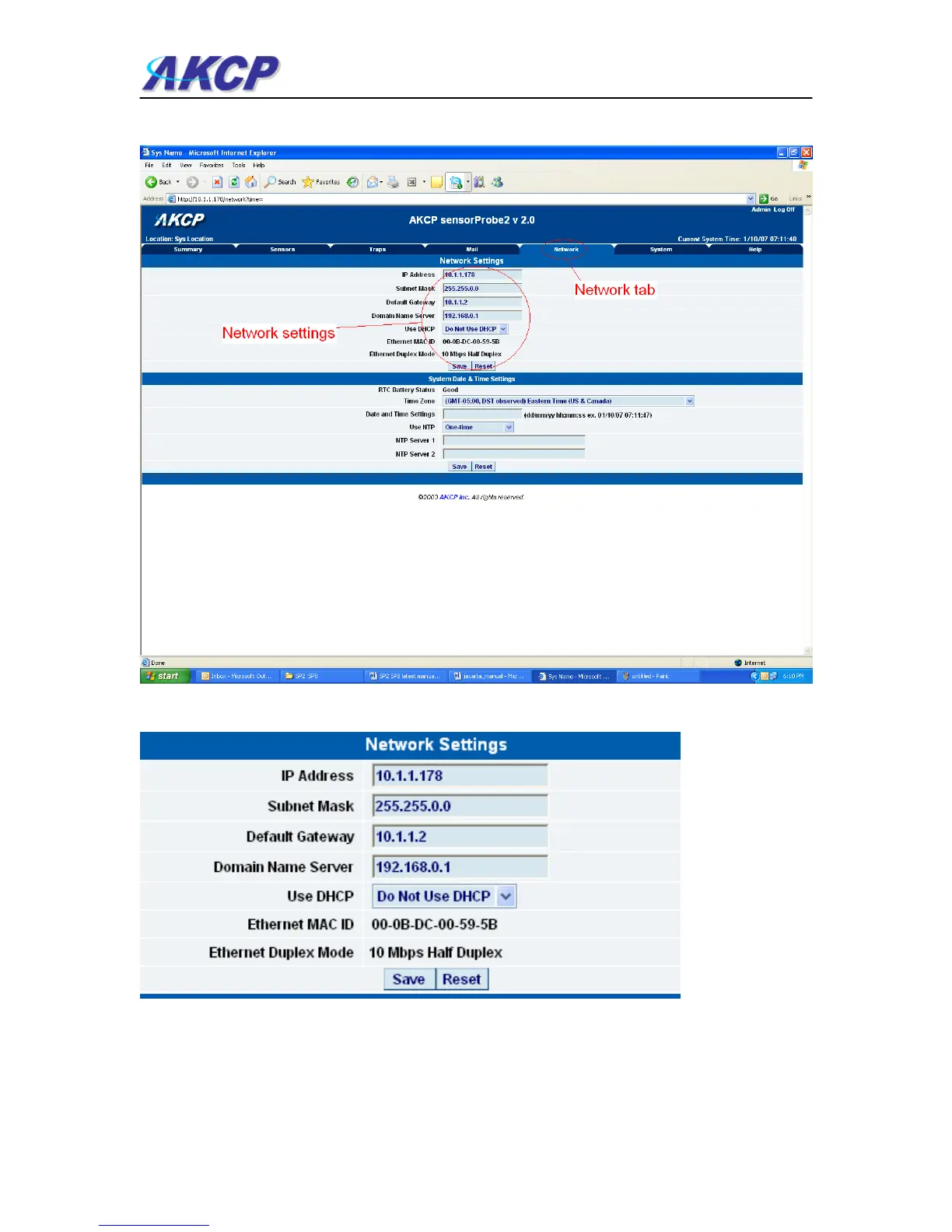
a) After clicking the “Network” tab you will be taken to this page :-
b) Once on this page you can setup the network settings as indicated below :-
IP Address :- Use this to change the IP address of your unit
Subnet Mask :- Use this to assign the subnet mask of your unit
Default Gateway :- Assign the default gateway of your device



 To Next Page