SPX+ Introduction Manual - updated until firmware 4997
- 13 -
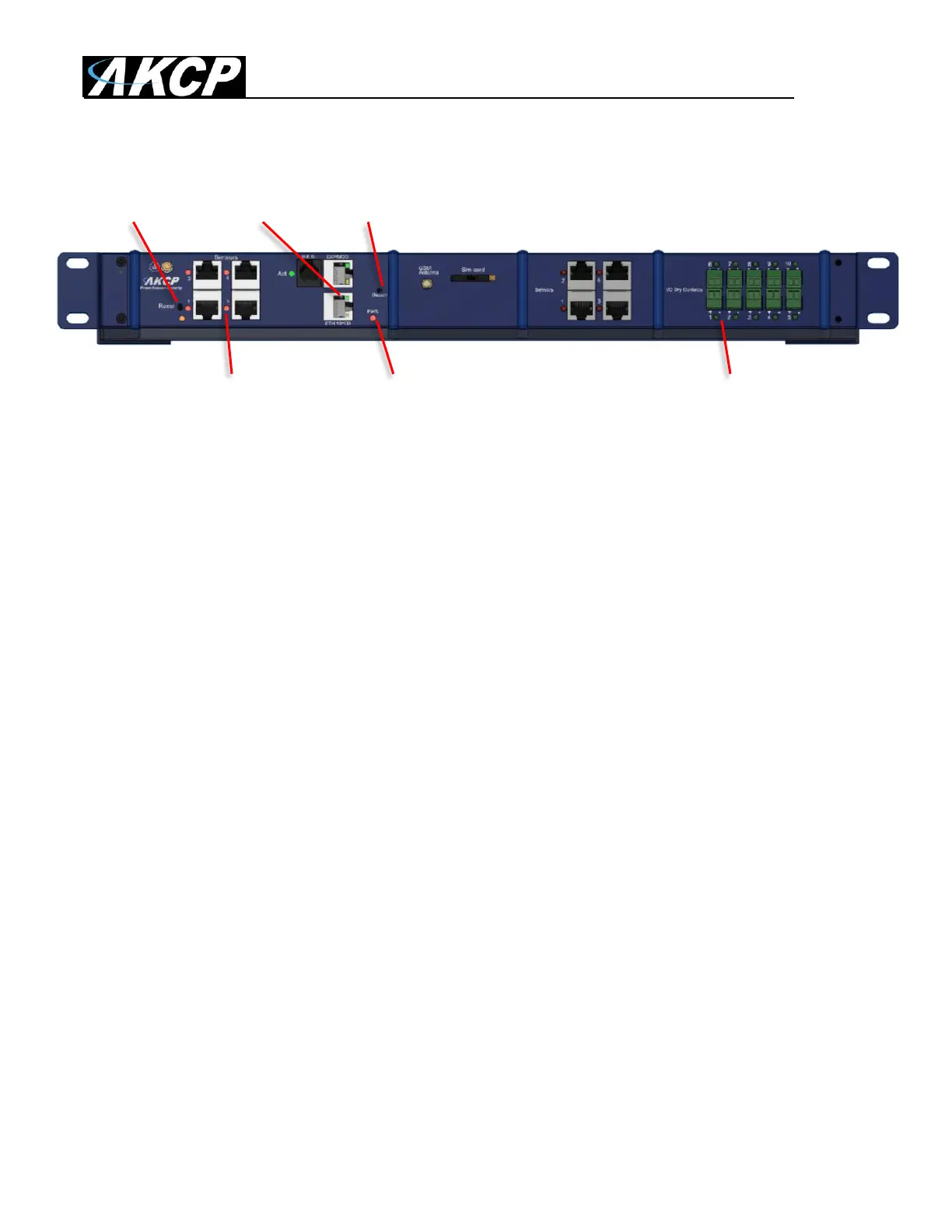
LED information for SPX+ units
Reset Eth/Exp Buzzer
Sensor LEDs Power LED Dry Contact LEDs
The Ethernet/Expansion LEDs have standard indication LEDs for network activity and connection
state (green and orange).
The Power LED is red, simply on or off.
Sensor LEDs (red) and Dry Contact LEDs (green) can have different states:
Off = offline
On = online and normal
Slow blinking = Warning status
Fast blinking = Critical and Error status
The Buzzer can provide audible notifications for sensor statuses. Please check our separate SP+
Buzzer manual for using this feature.
The Reset button functions are described below.



 To Next Page