SPX+ Introduction Manual - updated until firmware 4997
- 95 -
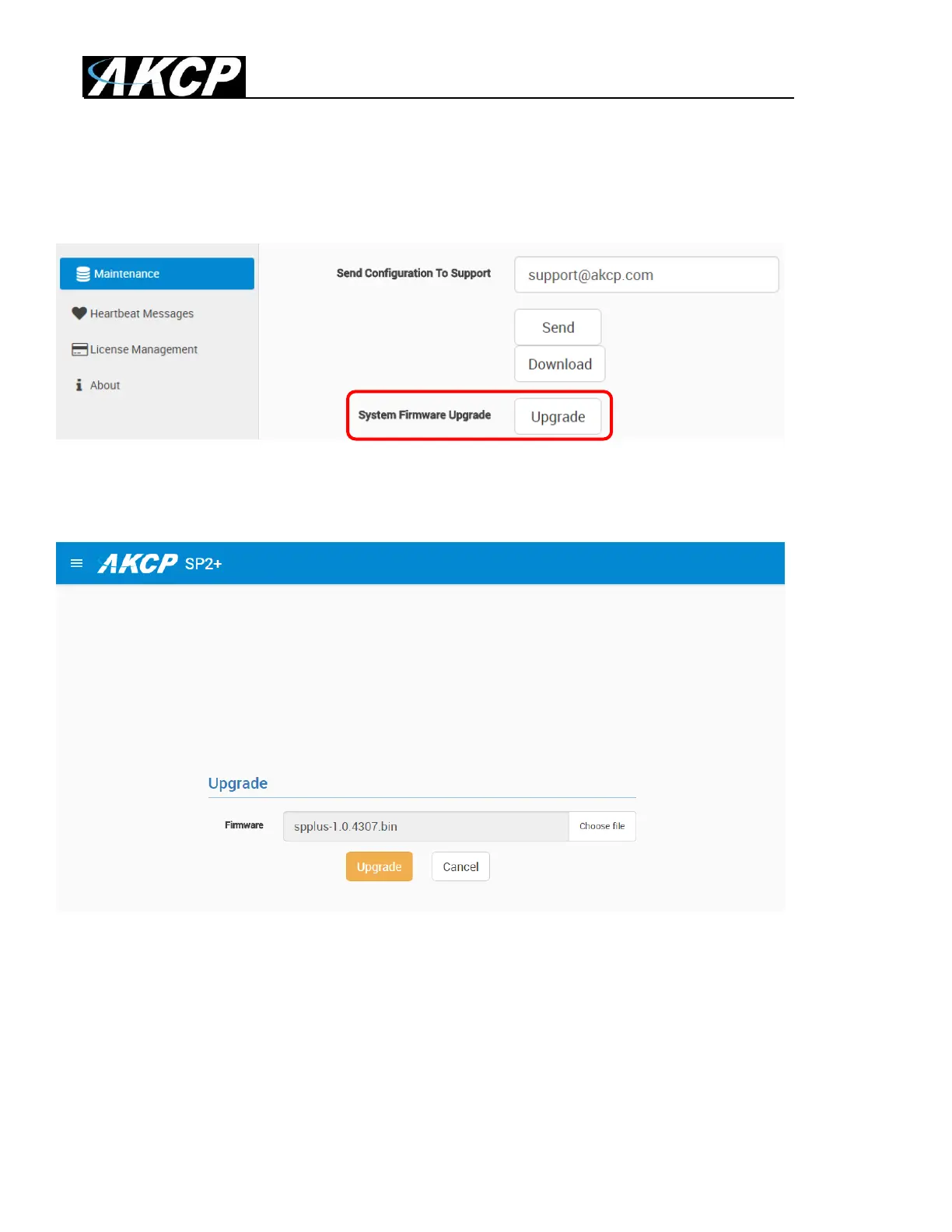
Firmware upgrade through the Web UI
The firmware upgrade process is very simple and straight-forward.
Open the System/Maintenance page and click on the Upgrade button at the System Firmware
Upgrade section.
This will load the Upgrade page. Choose the firmware file from your PC and click on Upgrade to start
the process.
Important: There are two separate .bin files included in a firmware update package. One for the F4
units and one for the F7 units. The .bin file for the F4 units is named spplus-1.0.xxxx.bin and the .bin
file for the F7 units is named spplus_f7-1.0.xxxx.bin. If you try to upgrade your unit with the wrong .bin
file, the firmware upgrade will fail, so please make sure you use the correct file for your unit type.



 To Next Page