SPX+ Introduction Manual - updated until firmware 4997
- 34 -
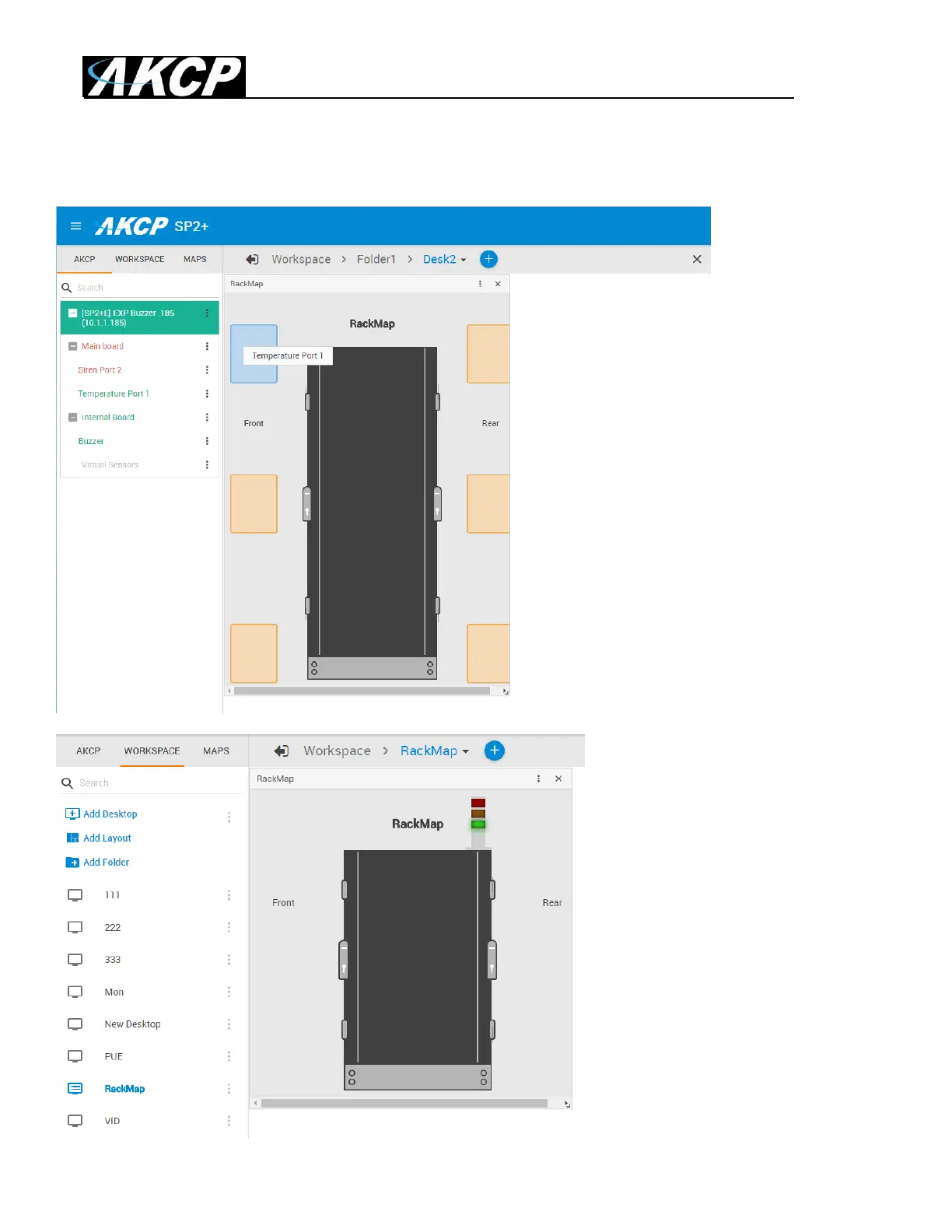
You can add Temperature sensors, the Swing Handle Lock and the Sensor Status Light gadget on a
Rack Map. Simply drag and drop the desired sensor from your unit’s sensor list, as shown below.
This example picture shows a
Sensor Status Light added to a
Rack Map.
Please see the Thermal Map
sensor manual for complete
installation & setup instructions for
the Thermal Map sensors.



 To Next Page