SPX+ Introduction Manual - updated until firmware 4997
- 53 -
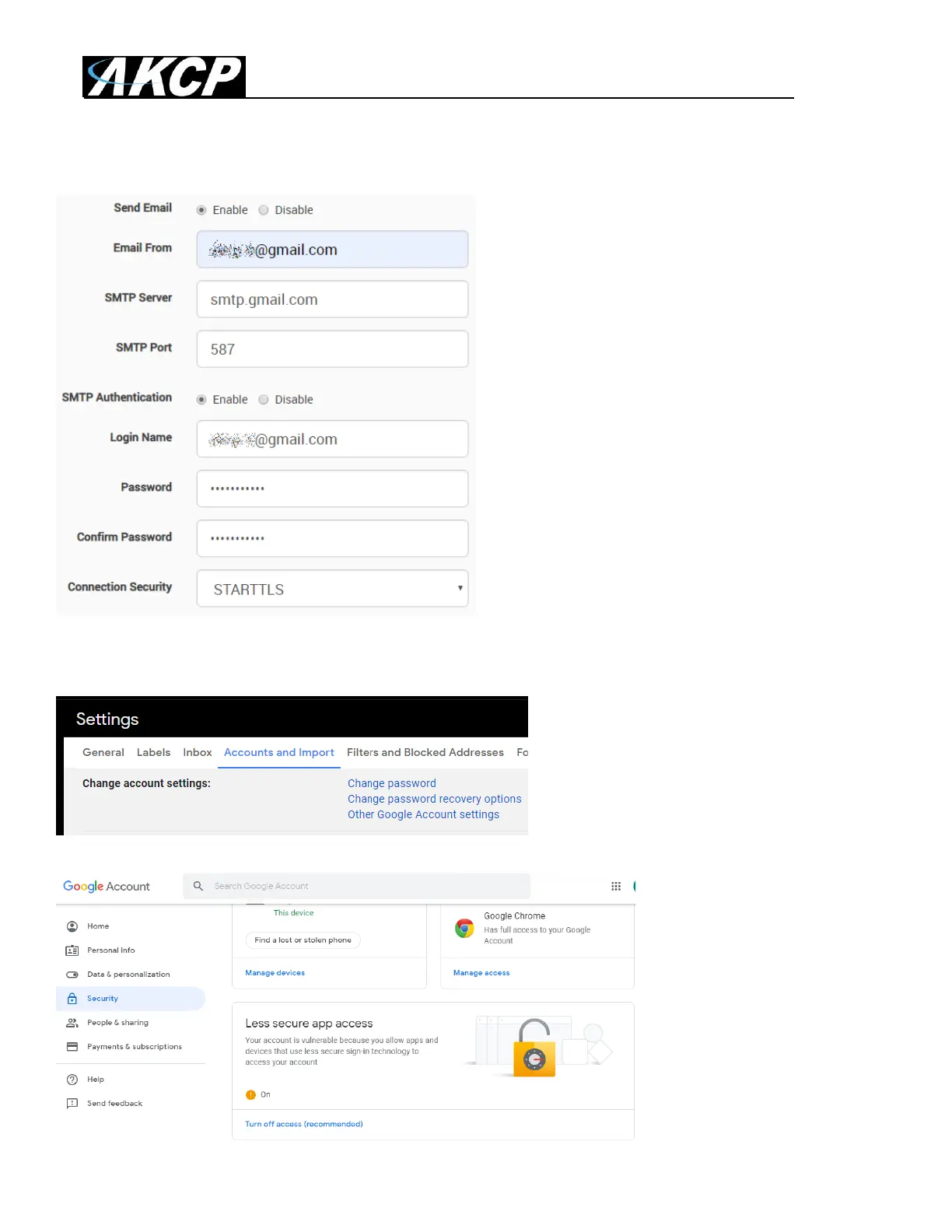
Settings for Gmail
You can use Gmail account to send Email alerts
with the settings shown on this screenshot on
the left.
Important: before this can work, you’ll need to set up an additional setting in your Google account.
Open Gmail in a web browser and go to
Settings / Accounts and Import / Other
Google Account settings
Then from the Account
settings open Security tab /
Enable Less Secure Apps



 To Next Page