SPX+ Introduction Manual - updated until firmware 4997
- 93 -
For example, you can connect the output of a third-party water flow sensor in the market to our
sensor port.
The specs of those sensors will indicate how many pulses equal to, for example 1 liter: 100 pulses =
1 Liter.
Then you can set the "Number of Pulses per Unit" to 100, and change the unit to L.
Then the sensor value will be changed according to the output of the water flow sensor which is
connected to the sensor port.
How to use the pulse counter?
The sensor is designed to be used by disabling the Autosense and connecting an external sensor to
the sensor port. This sensor will detect changes on the Data pin (Pin 1 of Sensor Port).
If there's changes:
- Flow Sensor value will show rate of the change in Unit / Second
- Pulse Counter will accumulate the pulses since the sensor is set to online
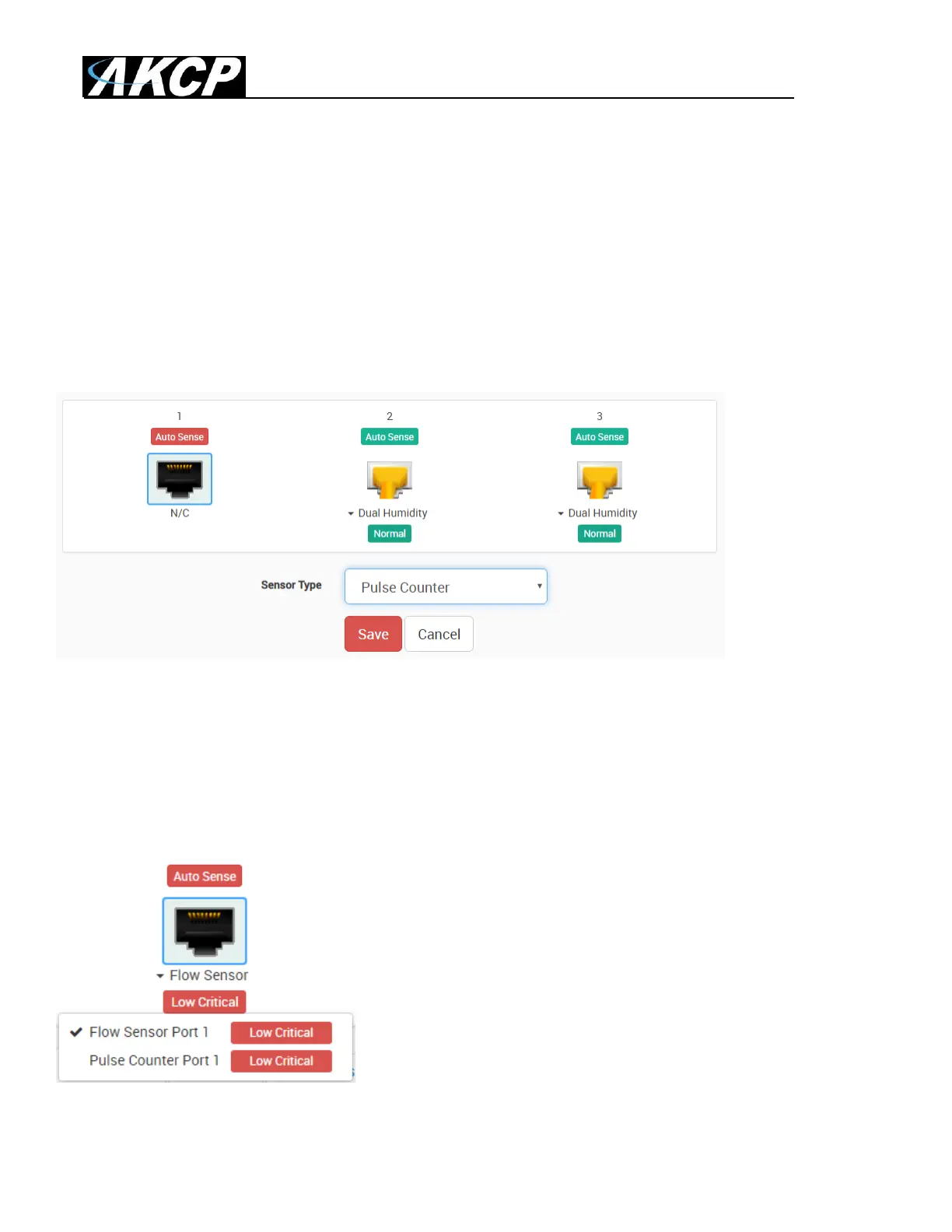
To set it up, disable Auto Sense on a sensor port and select the
Pulse Counter sensor type from the list. This will give a dual
sensor with Flow Sensor and Pulse Counter.



 To Next Page