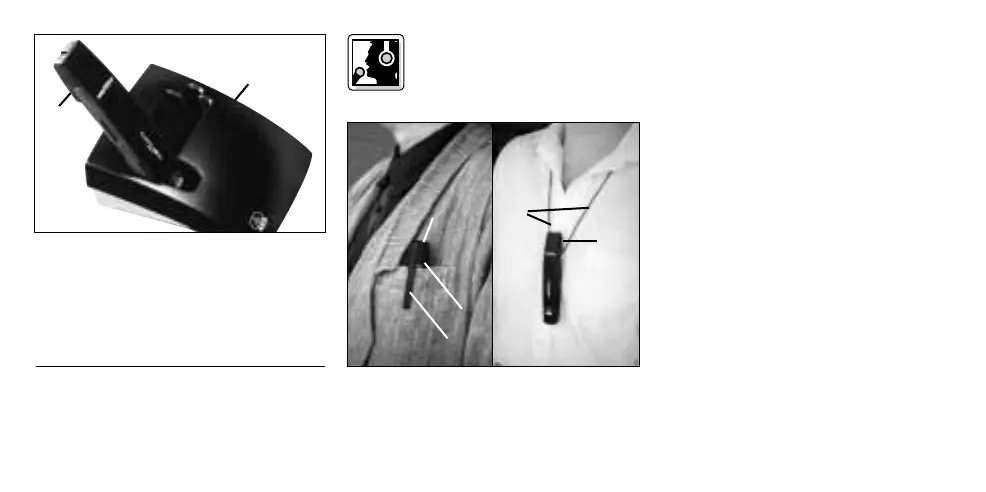
To charge the battery, insert the trans-
mitter (1) into the optional CU 40 charger
(2) as shown in fig. 3.
For details, refer to the CU 40 charger
manual.
4 Operating Notes
4.1 Attaching the
Transmitter
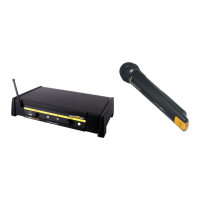
Refer to fig. 4:
Slide the transmitter (1) into a shirt
pocket or an outside breast pocket of
the talker's jacket, making sure the clip
(2) will be on the outside of the pocket
and the microphone (3) will point
upward.
If no suitable pocket is available, slip the
supplied necklace cord (4) under the clip
(2) and place the necklace cord (4)
around the talker's neck.
4.2 Setting Levels (Refer to fig. 1)
1. Check that the receiver is marked
with the same color code as the
transmitter.
2. Use a small screwdriver to turn the
input gain control (3) on the trans-
mitter to a position halfway between
the left and right stops.
3. Set the ON/MUTE/OFF switch (1) to ON
to switch power to the transmitter on.
4. Switch power to your sound system
or amplifier on.
5. Speak a few sentences in your
normal voice.
14
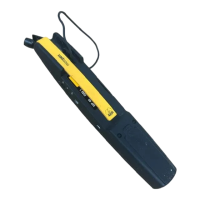
Fig. 3: Using the CU 40 optional charger.
Fig. 4: Attaching the transmitter.


 To Next Page