To enter the setup mode for the above functions, follow these steps:
1. Turn power off to Universal II
2. Press and HOLD stream switch (can be done on Joystick or toggle switch box)
3. Turn power on to Universal II while continuing to hold the stream switch
4. Wait 3-4 seconds and release the stream switch
The Universal II should now be in setup mode. When it is setup mode, the LED on the operator station will be slowly blinking (a
short blink followed by a long pause). If it is not slowly blinking, turn the power off and repeat steps 1-4.
All setup functions options except Stow and Deploy can be scrolled through by pressing the stream switch. Each time the stream
switch is pressed, another function is active for configuration. If a function is configured and saved using the fog switch, it will
automatically move to the next function. For example, the first time the stream switch is pressed, the right soft limit is ready for
programming (LED CODE 1-1). If it is pressed again, the left soft limit is ready for programming (LED CODE 1-2). If the left soft limit is
set and the fog switch is pressed, it will automatically move to the up soft limit without having to press stream again (LED CODE 1-3).
Alternately, activating the Stream command will abort this mode without storing the position and forward the user to the next Soft
Limit Position mode. Entering the Stow and Deploy programming modes can only be accomplished by activating the Stow or Deploy
switch while at the start of the setup menu (LED CODE 1 Slow blink). (See sections 3.2.2 and 3.2.3 for more detail).
To aid in determining which setup menu the Universal II is in, the LED on the operator station has been programmed to blink a
different code for each function. Table 3-1 below lists the LED codes for each function. The codes have two parts. The LED code
will start with either one or two short blinks, a short pause, another series of short blinks, and then a long pause. The first number in
the LED code is the one or two blinks and the second number is the second series of blinks before the long pause.
Any of the following functions may be configured by stopping at that function and performing the operation (see sections 3.2.1 –
3.2.3 for detailed information on configuration of each function).
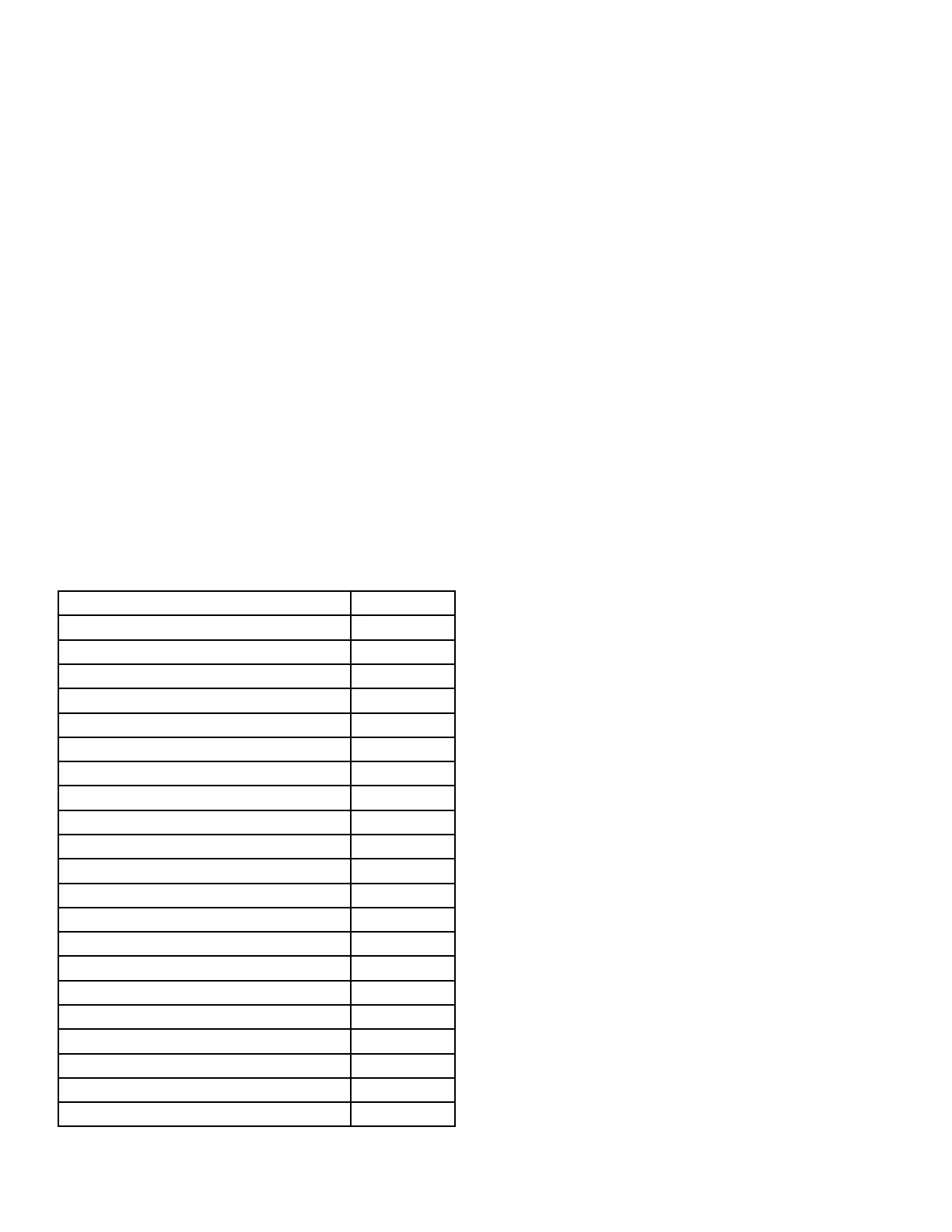
Setup Menu Function LED code
Setup Mode Start 1 slow blink
Right Soft Limit 1-1
Left Soft Limit 1-2
Up Soft Limit 1-3
Down Soft Limit 1-4
Monitor Orientation 1-7
Zero Position Sensors 1-8
Restore Factory defaults 1-9
Obstacle avoidance Disable 2-1
Obstacle Avoidance Manual Operation 2-2
Obstacle Avoidance Auto Operation 2-3
Obstacle Avoidance Learn 2-4
Cafs Dry Valve Position 2-5
Cafs Wet Valve Position 2-6
Stow/Deploy Rotation Position 2-7
Collision Zone ON 2-8
Collision Zone OFF 2-9
Electric Riser OFF 3-1
Electric Riser ON 3-2
Stow 1-5
Deploy 1-6
Table 3-1 Setup mode LED codes
19


 To Next Page