3.4 DESCRIPTION OF LOGIC OUTPUT FUNCTIONS
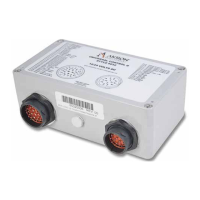
The Universal II has three logic outputs located on the vehicle connector (see Figure 2-3 and Table 2-3). Below are the various
functions that the Universal II logic outputs can provide. Each variant of 6032 will have some combination of these, but not
necessarily all or in the order presented here.
NOTE: The Universal II logic outputs are protected high-side drivers. Refer to section 0 for additional information and proper wir-
ing.
3.4.1 Panel LED
The Panel LED output is normally tied to the LED located in Akron Brass four switch operator stations such as the 60410003. This
LED primarily indicates whether or not the monitor/turret is stowed. It also is used to present various codes by associated
flash sequences.
3.4.2 Discharge Output
The Discharge output goes true (energizing the attached load) whenever agent discharge is called for by a toggle switch input, Joy-
stick trigger switch, CAN message, or other input. For further details, refer to section 3.3.11.
3.4.3 Gallonage High Output
The Gallonage High output goes true (energizing the attached load) whenever a high flow rate is called for by a toggle switch input,
CAN message, or other input. For further details, refer to section 3.3.9.
3.4.4 Safe Zone Output
The Safe Zone output goes true (energizing the attached load) whenever the monitor/turret is not within a collision zone. For fur-
ther details, refer to section 3.3.12. Active when safe provides the best failsafe condition for a broken wire.
3.5 PRIORITY OF COMMAND INPUTS
Command inputs can have multiple sources. One source is from digital master inputs as outlined in section 3.3. Then digital slave in-
puts have 2nd priority. Command inputs can also come from J1939 CAN messages as outlined in CHAPTER 5. These command inputs
take the form of standard J1939 Joystick messages. The digital inputs have the highest priority. Then Joystick1 commands (node 33)
take the next lower priority followed by Joystick2 commands (node34) and on down to Joystick6 commands (node 38) which has the
lowest priority. Thus a Master/Slave hierarchy can be established by assigning CAN input device addresses according to the
desired priority.
3.6 NORMAL OPERATION
The monitor/turret may be moved by any of the command inputs mentioned above. For instance, if an attached joystick is pulled
back, the monitor/turret will move upward. If the joystick is moved to the right, the monitor/turret will move to the right. Simi-
larly, if the toggle switch attached to the Fog/Stream digital input is activated in the Fog direction, the nozzle pattern will become
more dispersed. Movement of the monitor/turret will be confined inside the envelope established by the soft limits. If soft limits
are not set, movement will be confined by the hard stops of the monitor/turret.
3.7 OBSTACLE AVOIDANCE OPERATION
Movement of the monitor may be further constrained by the OAP (Obstacle Avoidance Profile) as setup in section 3.2.1.11. If in the
process of moving left or right an OAP constraint is reached, horizontal movement of the monitor/turret will stop until the operator
raises the monitor turret above the OAP value (see section 3.2.1.9). Optionally, this can be setup to happen automatically such that
the monitor/turret will raise just enough to stay within the OAP (see section 3.2.1.10). As horizontal movement continues and the
OAP permits, the monitor/turret will return to the same level it was at prior to encountering the obstacle.
26


 To Next Page