Channel Frequency
(MHz)
01 446.00625
02 446.01875
03 446.03125
04 446.04375
05 446.05625
06 446.06875
07 446.08125
08 446.09375
5. Speaker and Microphone. This is the speaker and
microphone location. During transmission, keep your
mouth 4/10 cm from the unit and speak with normal
voice level.
6.
/ keys. With these keys you can select one of
the 8 following channels:
7.
(Enter/Lighting) key. By pressing this key, the display
will be lighting up for 6 secs. Keeping it pressed during
the switching on, you can enter in programming mode
(functions will be subsequently described).
8.
(Function) button. By pressing this button you can
activate the SCAN, B.SCAN,CTCSS, DCS, DW and
MEMORY functions. They will be better described in their
relative paragraphes.
Controls and Indicators 5
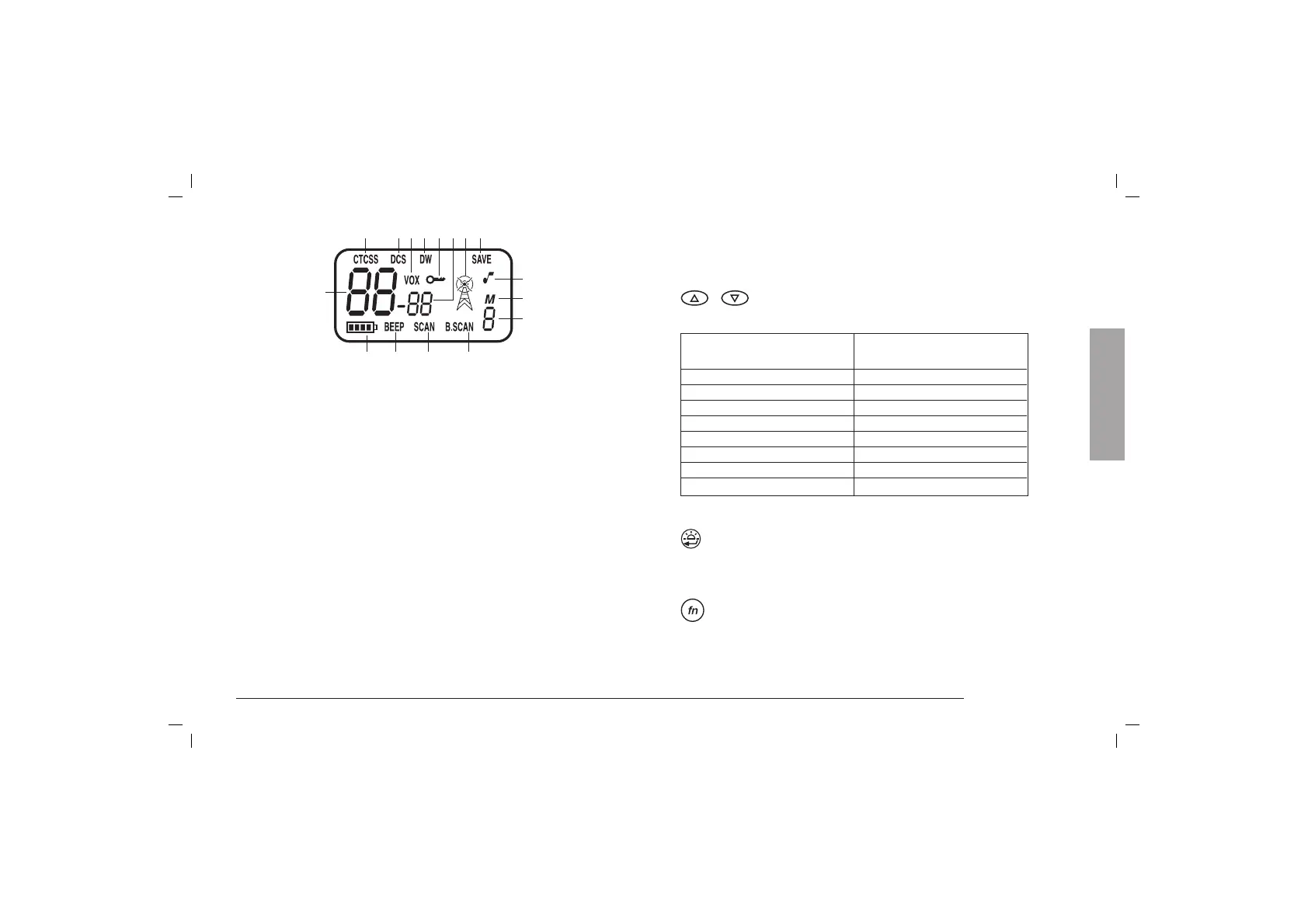
4. Display
1) Channel indicator
2) CTCSS / DCS indicators
3) CTCSS activated
4) DCS activated
5) VOX activated
6) Dual Watch activated
7) Keypad lock
8) TX-RX icon
9) Power Save on
10) Roger Beep
11) Channel memory
12) Memory
13) B.SCAN activated
14) SCAN function on
15) Keypad / switching on beep
16) Battery level icon
1
3456729
10
11
12
13141516
8
English



 To Next Page