3. Activate the battery by plugging in the Micro USB charger to a wall outlet and connecting it to the battery.
4. Check the top of the battery pack for a blue protective film. If present, please remove the film and discard it.
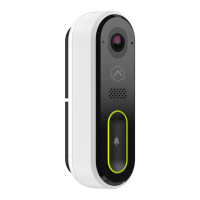
5. Press the doorbell button on the front of the battery. If the button LED alternates between red and blue, the battery
pack must be recharged prior to completing the installation. For more information, see Charging the battery.
6. If the button LED isn’t alternating blue and red, reconnect the battery pack to the VDB780B body.
7. After the button LED stops flashing red, press and release the doorbell button and ensure the LED lights up red.
Connect the Wireless Video Doorbell to the Alarm.com Smart Chime
1. Verify the Wireless Video Doorbell (VDB780B) is less than 10 feet away from the Alarm.com Smart Chime
(W115C).
2. Verify that the W115C has been installed and associated with an account.
3. To enable WPS mode, press and hold the VDB780B doorbell button firmly for greater than 30 seconds. The LED
will begin flashing blue.
https://answers.alarm.com/Partner/Installation_and_Troubleshooting/Video_Devices/Alarm.com_Wireless_Video_Doorbell_(A…
Updated: Wed, 08 Mar 2023 14:28:25 GMT
4


 To Next Page
 Loading...