
 Need help?
Do you have a question about the Alarm Lock PDL6100 and is the answer not in the manual?
Details various Gateway Interface Modules like AL-IM2-80211, AL-IME2, and AL-IME2-POE.
Describes AL-IME2-EXP and AL-IME2-PIE Expander Modules for extending system coverage.
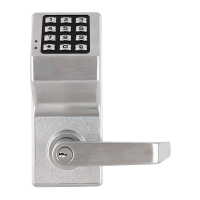
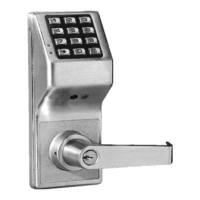
Lists cylindrical Trilogy Networx Wireless Access Control Locks like PDL6100 and DL6100.
Lists mortise Trilogy Networx Wireless Access Control Locks like PDL6500 and DL6500.
Covers other lock types like PDL8200, PDL8600, and Exit Trims.
Details NETDK, NETPDK, NETWORXPANEL, and architectural designer lock styles.
Describes the DL-Windows software application and lists related manuals.
Explains DL-Windows software for wireless lock programming and network connectivity options.
Details flexible setup methods and system capacity for Gateways and locks.
Covers minimum wireless setup, USB Gateway, network security, and critical warnings.
Details network interface, radio, power, environment, and physical specs for AL-IME2 Gateway.
Lists wireless standards, frequency, output power, and security for AL-IM2-80211 Gateway.
Provides specifications for the POE Gateway, including power and network interface.
Details network range, radio, power, environment, and physical specs for AL-IME2-EXP.
Lists specifications for the AL-IME2-PIE Plug-In Expander, including power and physical size.
Guides users through installing software, setting up Gateways, and discovering locks.
Details the process of setting a 6-character security password for secure connections.
Defines fields like Gateways, Locks, Expanders, IP Address, Status, and Color Key.
Explains buttons like Discover Gateways, Discover Locks, Close, and Gateway Config.
Outlines methods for discovering and adding Gateways, including IP status color codes.
Details the process for discovering locks and assigning them to Gateways or Expanders.
Guides on manually adding locks by serial number to Gateways or Expanders.
Describes associating Lock Profiles with physical locks for data downloading.
Explains initiating the process to find available Gateways on the network.
Details confirming and adding a discovered Gateway to the DL-Windows Account.
Explains the steps required to remove a Gateway from the DL-Windows Account.
Details replacing a faulty Gateway with a new one, including version considerations.
Explains how to view the operational status of Gateways and their associated Expanders.
Guides on installing firmware updates for Gateways using a .bin file.
Explains sending configuration data to locks for assignment and communication.
Details setting up IP addresses, wireless modes, and internet connectivity.
Explains security protocols (WEP, WPA, WPA2) and network settings.
Describes testing Gateway reachability using the Ping command.
Explains how to view WAN Address and Port details for remote configuration.
Guides on choosing the correct network adapter for DL-Windows communication.
Details assigning Gateways to Emergency Groups for command distribution.
Describes rebuilding the DL-Windows database using Gateway and lock data.
Details manually adding a Gateway to an Account using its MAC address.
Guides on re-establishing connection to Gateways that are unreachable.
Explains performing site survey tests for optimal Gateway and Expander placement.
Describes initiating the process to find and identify wireless locks.
Explains understanding the Lock Table fields, status indicators, and signal strength.
Details associating physical locks with their virtual Lock Profiles.
Guides on removing locks from Gateways and the DL-Windows database.
Details assigning specific locks to Gateways or Expanders using their serial numbers.
Explains updating the DL-Windows database with lock data from a Gateway.
Details moving assigned locks from a USB Gateway to a Networx Gateway.
Guides on activating beep and flash for lock identification purposes.
Explains the process for discovering and adding Expanders to a Gateway.
Displays Expander information, signal strength, and status.
Guides on installing firmware updates for Expanders using a .bin file.
Details restoring corrupted Expander routing table data to the Gateway.
Describes three methods: individual, multiple locks, and scheduled actions.
Explains using the Communication button to send/receive data for a single lock.
Details using the Wireless screen to communicate with multiple locks at once.
Explains programming and saving scheduled communication actions for wireless locks.
Guides on setting up and configuring automated wireless lock communications.
Defines Wireless Screen fields like Configuration, Lock Info, Enable, Function, and Status.
Explains Wireless Screen buttons (Start, Print, Clear) and shortcut menus.
Defines Wireless Schedule fields like Enable, Time, Repeat, and Last Executed.
Explains the functions of Clear and OK buttons for managing schedules.
Details Set Clock, Emergency Commands, Status Updates, and USB Gateway usage.
Defines Emergency Groups, Lock Down, Passage, and Return to Normal commands.
Explains the three emergency commands and how they are initiated.
Details lock requirements for DL-Windows emergency commands and static IP needs.
Discusses adding emergency users, access levels, and Expander impact.
Explains sending the command to immediately lock all assigned wireless locks.
Explains sending the command to immediately unlock all assigned wireless locks.
Explains reverting locks to their pre-emergency state.
Details assigning Gateways to Emergency Groups and IP address requirements.
Guides on changing Gateway assignments and modifying default group names.
Lists options for lock profile management, status, linking, and firmware updates.
Explains the Lock Status screen fields like serial number, battery, and communication status.
Details associating physical locks with their virtual Lock Profiles and dissociating them.
Guides on activating beep and flash for lock identification.
Describes synchronizing lock time and changing lock state to passage mode.
Explains unlocking a lock for passage and installing firmware updates.
Resolves issues where locks are not assigned or found during discovery.
Troubleshoots Expanders not being found and loss of communication with existing locks.
Addresses lock re-configuration issues and gateway unreachability.
Guides on rebuilding the DL-Windows database after a system crash.
Defines terms from ACCESS, ASSIGN, AUDIT TRAIL up to DHCP.
Defines terms from DISABLE, DISCOVER up to DOWNLOAD.
Defines terms from EMERGENCY COMMANDS, EMERGENCY GROUP up to LOCK CONFIG TABLE.
Defines terms from LOCK ID, LOCK TYPE, LOG up to PROGRAM MODE.
Defines terms from PROFILE, PROXIMITY CREDENTIAL up to VIRTUAL.
Outlines the warranty period, what is covered, and limitations of liability.
Includes warnings about system testing, tampering, and limitations of protection.
 General
| Brand | Alarm Lock |
|---|---|
| Model | PDL6100 |
| Category | Door locks |
| Language | English |


 To Next Page
