
 Need help?
Do you have a question about the Alarm Lock Trilogy Double-Sided DL5300 and is the answer not in the manual?
Details the lock's audit trail capacity, event logging, and printing capabilities.
Lists essential lock features like key override, lockout, real-time clock, and battery monitoring.
Details unique functions of Users 297 (Enable 300), 298 (PC Access), 299 (AL-DTM), and 300 (Service).
Describes the visual and audible feedback provided by the lock's indicators.
Procedure for initial power-up and re-applying power to an operational lock.
Steps to reset the lock to factory default settings by removing power.
Instructions for safely replacing batteries while preserving settings.
Steps for unpacking, initial power-up, and clearing programmed data.
Procedure to enter Program Mode and change the factory default Master Code.
Instructions for setting the lock's weekday, date, and time.
Steps to add new user codes and delete existing ones from the lock.
Describes how to test valid and invalid user code entries using LED and sounder feedback.
Procedure for setting a new 6-digit Master Code for User Number 1.
Steps to add, delete, or change user codes for Users 2-2000.
Functions to enable, disable, or enable users with a specific timeout period.
Enabling or disabling total user lockout mode for all users except the master.
Enabling Service Code (User 300) and erasing all users except the master.
Instructions for setting the lock's weekday, date, and time.
Setting the start and end dates for Daylight Saving Time adjustments.
Enabling, disabling, or setting timed passage mode for door access.
Resetting the lock to factory default settings, preserving audit trails.
 General
| Power Supply | 4 AA Batteries |
|---|---|
| Voltage | 6VDC |
| Auto-Lock | Yes, programmable |
| Weatherproof | Yes |
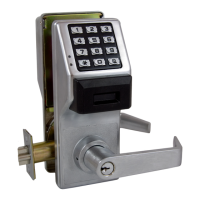
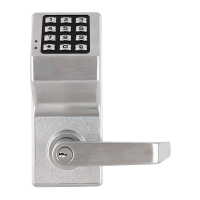
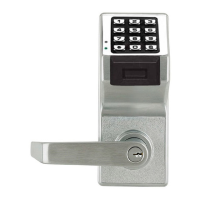
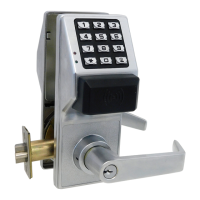
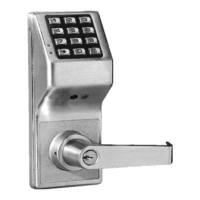
| Type | Electronic Lock |
| Locking Mechanism | Deadbolt |
| Keypad | Yes |
| Access Control | Keypad |
| Finish | Satin Chrome |
| Door Thickness | 1 3/8" to 2" |
| Backset | 2-3/4" |
| Audit Trail | Yes |
| Programming | Keypad or PC (with optional software) |
| Weather Resistance | Weather resistant |
| Strike | Included |
| Battery Life | Approximately 1 year |
| Backup Power | 9V battery |
| Key Override | Yes |
| Audible Feedback | Yes |
| Operating Temperature | -31°F to 151°F |
| Handing | Reversible, fits left or right-handed doors |


 To Next Page