
 Need help?
Do you have a question about the Alarm Lock Trilogy PDL6100 and is the answer not in the manual?
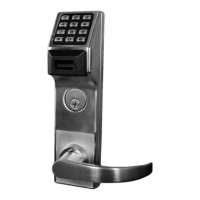
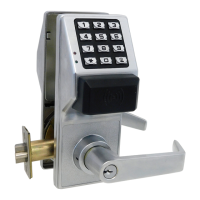
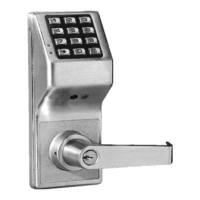
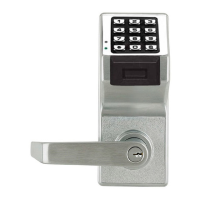
Provides a general description of the PDL6100 lock and its primary capabilities.
Details essential features like audit trails, real-time clock, and override options.
Explains how users access the lock and the methods for programming.
Describe network gateway modules for wireless communication.
Details proximity card readers, keyfobs, and necessary connection cables.
Explains the benefits of using programmable user codes over physical keys.
Defines Program Mode and its role in configuring lock settings.
Defines fundamental terms like Lock Program, User Codes, Features, and Time Zones.
Explains user roles, their associated programming levels, and hierarchy.
Defines Groups, DL-Windows software, and emergency commands.
Details the specific functions of User Codes 297-300.
Explains symbols, formatting, and key sequences used in the manual.
Describes the visual and audible feedback provided by the lock.
Covers electrical connections, power sources, and initial power-up steps.
Details how to erase all programming and manage battery replacement.
Guides through initial lock setup and changing the factory Master Code.
Instructions for configuring the lock's clock and adding user codes.
Procedures for deleting user codes and managing potential conflicts.
Steps for enrolling proximity cards and keyfobs into the lock.
Tests to verify the functionality of entered user codes and cards.
How to exit program mode and return the lock to normal operation.
Detailed steps for setting or changing the Master Code.
Instructions for adding, deleting, or modifying user codes and proximity data.
Managing user access status and setting temporary access timeouts.
Enabling and disabling the total user lockout feature for enhanced security.
Procedures to clear all programmed schedules and timeout functions.
Enabling and disabling individual or all user groups.
Setting temporary enable/disable periods for user groups.
Associating or disassociating users with specific groups.
Setting the lock's internal clock and day of the week.
Setting the start and end dates for Daylight Saving Time adjustments.
Fine-tuning the clock's accuracy by adjusting its speed.
Enabling and disabling passage mode for unrestricted door access.
Configuring passage mode that is not overridden by schedules.
Setting the duration for which the lock remains unlocked after valid entry.
Configuring the number of attempts before lockout and lockout duration.
Setting up remote input functionality and the ambush code feature.
Configuring system features like emergency commands and relay functions.
Programming the relay to respond to an ambush event.
Enabling the Enter Key to allow user codes to be subsets of others.
Scheduling passage mode and group enable/disable based on time and day.
Setting up predefined quick schedules for groups.
Activating passage mode via Group 1 user code entry within a time window.
Activating the relay for specific events triggered by Group 1 user codes.
Scheduling the enabling of Group 4 users via Group 1 activation.
Turning off wireless communication for the lock.
Examples of assigning users to multiple groups for complex access control.
Practical examples for setting up relay activation and group enabling schedules.
A template for documenting programmed functions and their settings.
A template for recording user numbers, codes, and group associations.
A template for recording scheduled events, days, times, and function names.
Provides definitions for technical terms used throughout the manual.
Details the warranty terms and conditions for Alarm Lock products.
 General
| Door Thickness | 1-3/4" to 2-1/4" |
|---|---|
| Power Supply | 4 AA Batteries |
| Operating Voltage | 6VDC |
| Access Method | Keypad |
| Weather Resistance | Yes |
| Backset | 2-3/4" |
| Locking Mechanism | Deadbolt |
| Backup Power | 9V Battery |
| Operating Temperature | -30°F to 150°F |
| Compliance | ADA Compliant |
| Handing | Reversible, fits both left and right hand doors |


 To Next Page