
 Need help?
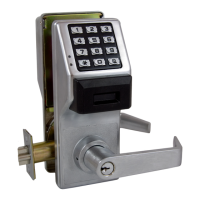
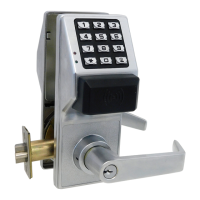
Do you have a question about the Alarm Lock Wireless Trilogy PDL6300 and is the answer not in the manual?
Details various AL-IM2 series Wi-Fi gateway models.
Describes the USB portable gateway interface module.
Information on the DL-Windows software for programming locks.
Details wireless remote release buttons and keyfobs.
Tools for identifying optimal gateway and lock locations.
Device for performing site survey tests and measuring signals.
Portable device for generating gateway radio signals.
Notes regarding Version 2 gateways and expanders.
Explains the benefits of software-driven locks over hardware keys.
Steps to prepare the lock for programming after unpacking.
Defines Program Mode and its importance for making changes.
Instructions set that governs lock functions and settings.
Numeric sequences entered at the keypad to unlock the door.
Options and functions that can be activated or deactivated.
Specific times used for scheduling events.
Programmed sequence of events for automatic operation.
An individual authorized to use or make programming changes.
Defines the range of programming tasks a user can perform.
A unique identifier for each user, linked to their programming level.
A collection of users for simultaneous control and management.
Commands for system-wide or local lockdown, passage, or normal states.
Special users with unique programming abilities and functions.
Computer program for programming and managing Alarm Lock systems.
Default group associations and programming levels for PDL6300 users.
Guidelines for entering and using Program Mode.
Explains the visual and audible feedback from the lock.
Differentiates between system-wide and single-lock emergency actions.
How the lock accepts commands from DL-Windows or other locks.
Procedures for initiating system-wide emergency commands.
Procedures for initiating single-lock emergency commands.
How to grant basic users the ability to initiate emergency commands.
How user access is affected during an emergency lockdown state.
Settings for sounder and indicators during emergency events.
Introduction to compatible wireless remote release devices.
Instructions for connecting remote release devices to the lock.
Using remote releases to initiate emergency lockdown commands.
Specifies the type and quantity of batteries required for the lock.
Procedure for applying power to the lock for the first time.
Steps to restore the lock to its factory default settings.
Guide for safely replacing the lock's batteries.
Initial setup procedure for a new lock installation.
Steps to enter programming and set a new master code.
Procedure to program the current day of the week into the lock.
Procedure to program the current date into the lock.
Procedure to program the current time into the lock.
Instructions for adding new user access codes to the lock.
How to add proximity cards or keyfobs for user access.
Configuration for requiring both a user code and proximity credential.
Procedure to remove high security access configurations.
How to test if entered user codes function correctly.
How to test if proximity credentials are recognized by the lock.
How to test access requiring both code and credential.
Procedure for setting or changing the master code.
How to manage user codes and proximity credentials.
Default user associations and programming levels.
How to enable or disable specific users and their access.
How to temporarily disable all users except the master.
How to enable the special one-time service code.
How to delete all user codes except the master code.
How to clear schedules and timeout functions.
Managing and configuring user groups for access control.
How to enable or disable specific user groups.
Setting temporary enable/disable periods for user groups.
Associating or disassociating users with specific groups.
Procedures for setting the lock's date, time, and weekday.
Configuring the start and end dates for DST adjustments.
Fine-tuning the lock's internal clock accuracy.
Enabling or disabling passage mode for keyless entry.
Enabling passage mode that is not overridden by schedules.
Setting the duration the lock remains unlocked after valid entry.
Configuring attempts before lockout and lockout duration.
Enabling and pairing wireless remote inputs with the lock.
Configuring various system-wide features of the lock.
Detailed descriptions of individual system features.
Configuring how the lock responds to emergency commands.
Turning off all programmed system features.
Restoring all system features to their factory default states.
Enabling or disabling the enter key requirement for user codes.
Setting up scheduled passage mode and group access.
Pre-programmed schedules for common time blocks.
Activating passage mode based on Group 1 user entry.
Enabling Group 4 based on Group 1 user entry within a time window.
Resets the lock to factory default settings, clearing all programming.
Example of assigning a user to multiple groups.
Explains how Group 1 activation affects other features.
Record settings for clock speed adjustment.
Record settings for how long the lock remains unlocked.
Record settings for keypad lockout attempts and time.
Record status of various system features (enabled/disabled).
Record status of the Enter Key function.
 General
| Brand | Alarm Lock |
|---|---|
| Model | Wireless Trilogy PDL6300 |
| Category | Door locks |
| Language | English |


 To Next Page