Standard features
Simple everyday use
Standard features28
If you require any technical guidance or find that your TV is not operating as intended, a simple solution can often be found in the Troubleshooting section of these instructions,
How to navigate the menus
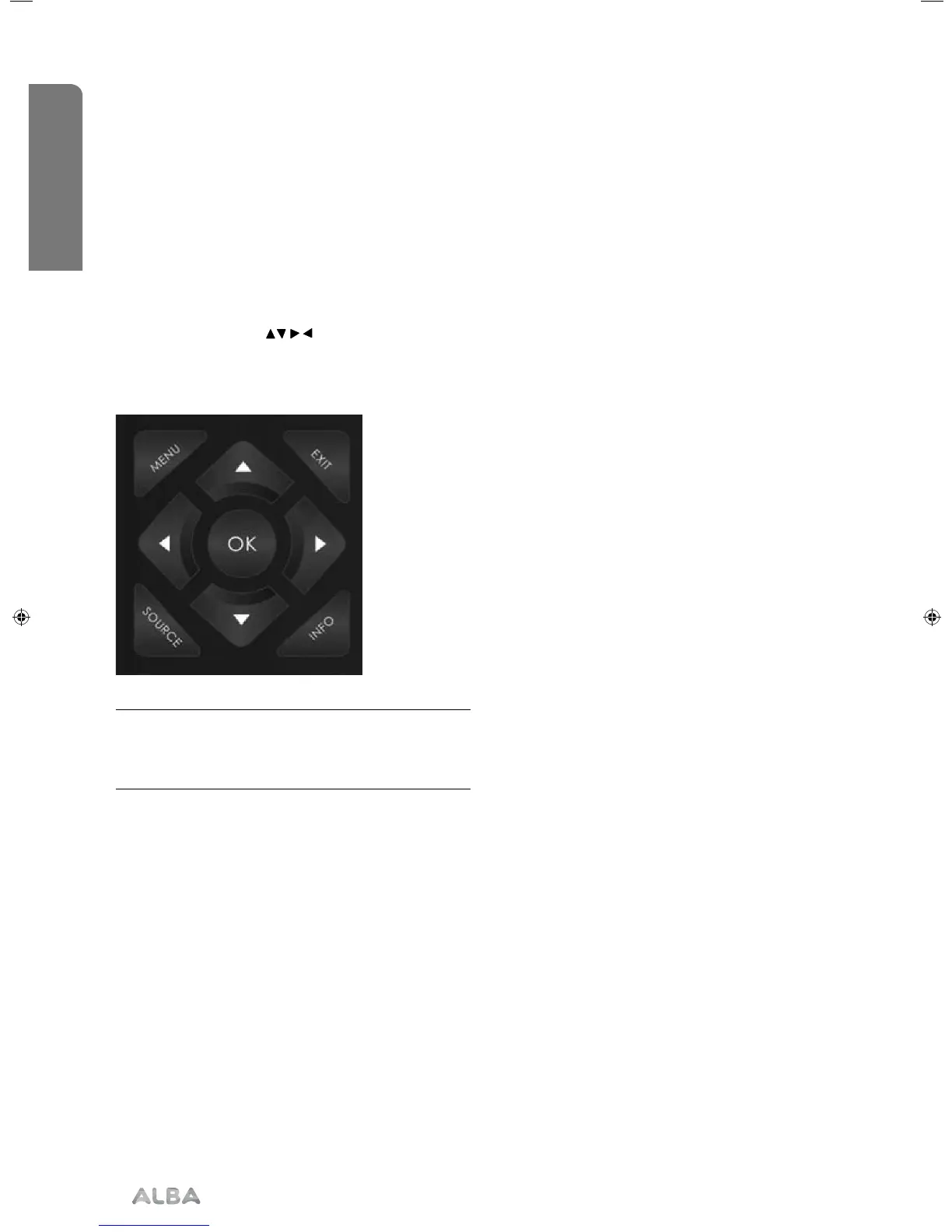
To access this menu, press [MENU] button on the
remote control. To enter a menu press [OK]
If you wish to make changes to any of the default
settings, use the scroll
buttons. To confirm
any settings press [OK] button.
To exit this menu at anytime, press [EXIT] button.
Tip: If you do not press any buttons for 30 seconds,
the menu will automatically exit. You can change the
length of time before the menu exits automatically -
see ‘OSD Timer’ in the Time Menu.
User Guide - ALB-MAN-0005 - Alba - 22-24-207 models.indd 28User Guide - ALB-MAN-0005 - Alba - 22-24-207 models.indd 28 06/01/2016 11:28:5606/01/2016 11:28:56


 To Next Page