Standard features
Simple everyday use
Standard features 31
or online at www.argos-support.co.uk If you still require further assistance, call one of our experts on 0330 024 0805. (Calls are charged at the standard rate of your network provider).
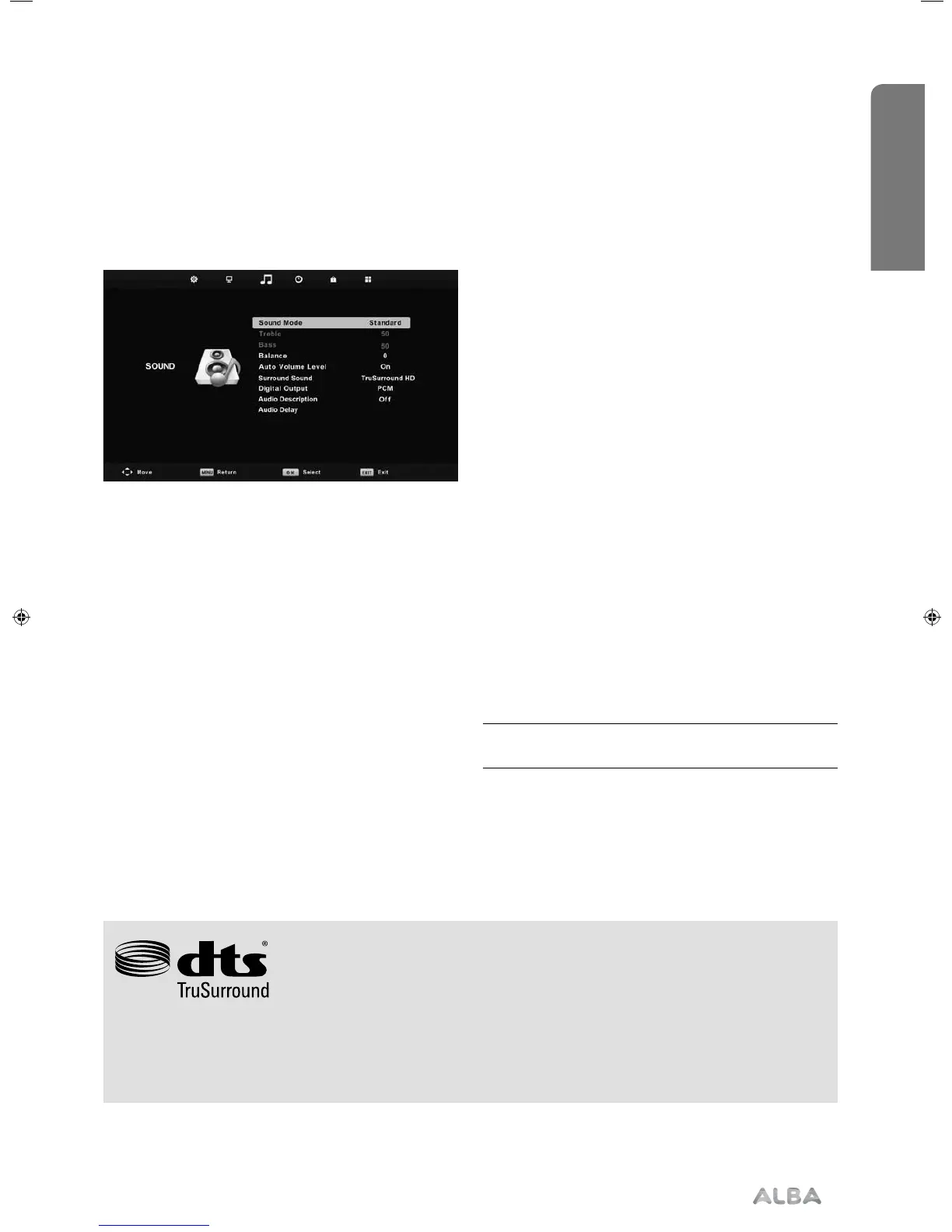
Sound menu
Sound Mode
• Standard - Default settings.
• Music - Emphasises music over voices.
• Movie - Provides live and full sound for movies.
• Sports - Emphasises sound for sports.
• Personal - Selects your personal sound settings.
Treble - To adjust the amount of high frequency within
the sound.
Balance - To switch the so und between the left and
right speakers.
Auto Volume Level (AVL) - When ‘on’ is selected,
the volume will stay at a constant level regardless of
input/source.
Surround Sound
• Off - Off.
• TruSurround HD - TruSurround HD™ creates an
immersive, feature-rich surround sound experience
from two speakers, complete with rich bass, high
frequency detail and clear dialog.
Audio Description - This allows the user to increase
and decrease the AD (Audio Description) volume level.
(Audio Description is a service available on certain
programmes. It provides a description of what is
happening during the selected programme for a
person who is visually impaired).
Digital Output
• Off - Off.
• Auto - Selects the best settings automatically.
• PCM - Select this option if you are connecting
to a Stereo Hi-fi via coax cable (Pulse-code
modulation (PCM) is a digital representation of
an analogue signal).
Audio Delay - Enables the user to adjust setting to sync
picture and audio.
Tip: Treble and bass levels can only be adjusted
when the sound mode ‘personal’ is selected.
For DTS patents, see http://patents.dts.com. Manufactured under license from DTS Licensing Limited. DTS, the
Symbol, & DTS and the Symbol together are registered trademarks, and DTS TruSurround is a trademark of DTS,
Inc. © DTS, Inc. All Rights Reserved.
User Guide - ALB-MAN-0005 - Alba - 22-24-207 models.indd 31User Guide - ALB-MAN-0005 - Alba - 22-24-207 models.indd 31 06/01/2016 11:28:5606/01/2016 11:28:56



 To Next Page