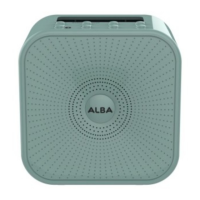
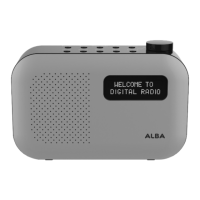
Getting to know your Mono DAB/FM Radio
You’ll be up and running in no time
Getting to know your Mono DAB/FM Radio
section of these instructions, or online at www.argos-support.co.uk If you still require further assistance, call one of our experts on 0345 600 3021.
1. Telescopic radio aerial
2. Battery compartment
3. Power On/Off switch
4. Headphone socket
5. Power lead socket
6. Backlit display
7. Power on/standby
• Short press: Power on
• Short press press: Standby
(Mains power only)
• Short press: Power off
(Batteries only)
8. Change the Mode
9. Scan for radio stations
10. Radio presets
11. Menu/Info
• Short press: Station information
• Long press: Enter the Menu options
• Short press (within the Menu):
Steps back and exits the Menu
12. Select
13. Prev
• Short press:
• In DAB mode: Move down the
DAB station list
• In FM mode: Move down the
frequency band by 0.05MHz
• In the Menu: Move through the
Menu options
• Long press:
• In FM mode: Scan down the
frequency band
14. Next
• Short press:
• In DAB mode: Move up the
DAB station list
• In FM mode: Move up the
frequency band by 0.05MHz
• In the Menu: Move through the
Menu options
• Long press:
• In FM mode: Scan up the
frequency band
15. Alarm:
• Short press: Alarm 1
• 2nd Short press: Alarm 2
• In Standby Mode:
• Short press: Turn on/off each
alarm
16. Snooze
17. Rotary volume control


 To Next Page