Mainboard PM73V
8
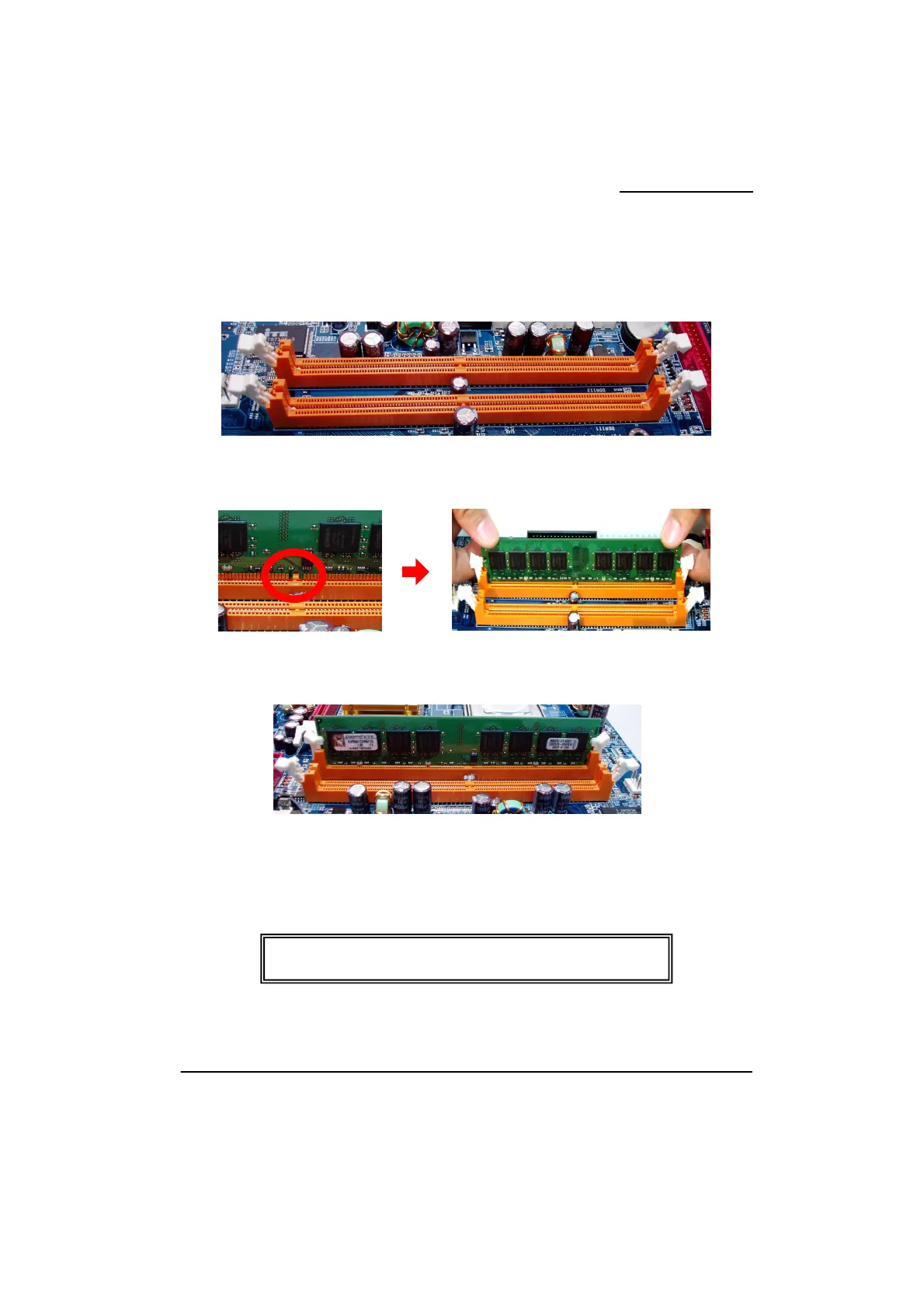
Memory Installation Steps:
1. Pull the white plastic tabs at both ends of the slot away from the slot.
2. Match the notch on the RAM module with the corresponding pattern in the DIMM slot.
This will ensure that the module will be inserted with the proper orientation.
3. Lower the RAM module into the DIMM Slot and press firmly using both thumbs until the
module snaps into place.
4. Repeat steps 1, 2 & 3 for the remaining RAM modules.
* The pictures above are for reference only. Your actual
ay vary slightly from the pictures.



 To Next Page