Mainboard PM73V
11
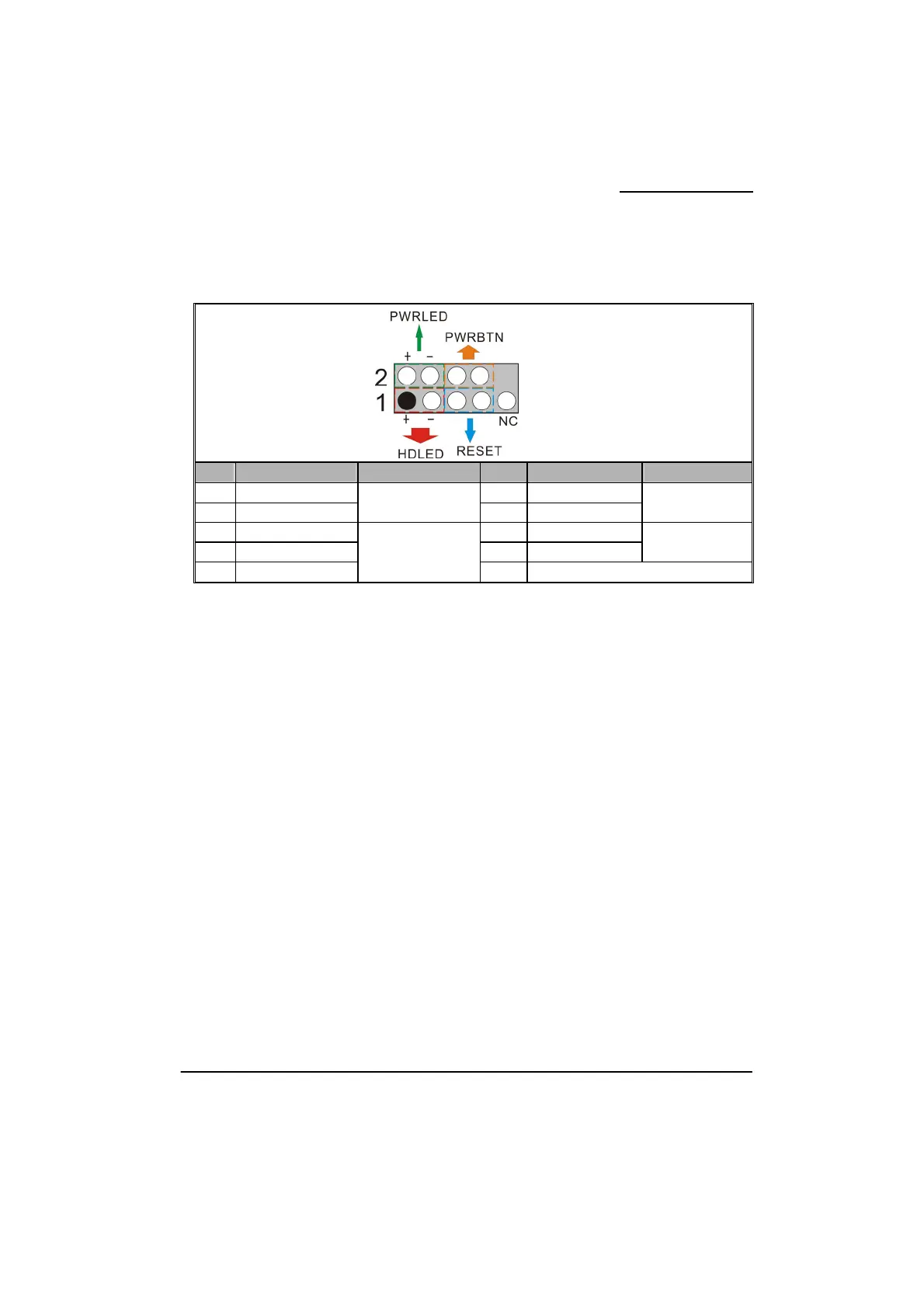
Front Panel Headers: JW_FP, PWRLED, SPEAK
JW_FP
Pin Assignment Function Pin Assignment Function
1 VCC5 (+) 2 VCC5 (+)
3 HDDLE (-)
Hard Drive LED
(HDLED)
4 PWRLED (-)
2-pin Power LED
(PWRLED)
5 GND 6 PWRBTN
7 RSTSW 8 GND
Power-on Button
(PWRBTN)
9 N/C
Reset Switch
(RESET)
10 Key
Hard Drive LED Header: HDLED
If your case front panel has a hard drive LED cable, attach it to this header. The LED will flicker
when there is hard disk drive activity.
Reset Switch Header: RESET
This header can be attached to a momentary SPST switch (reset button) cable on your case
front panel. The switch is normally left open. When the switch closed, it will cause the
mainboard to reset and run the POST (Power-On Self Test).
Power-on Switch Header: PWRBTN
This header can be attached to a power switch cable on your case front panel. You can turn
your system on or off by pressing the button attached to this power switch cable.
2-pin Power LED Header: PWR LED
The mainboard provides a 2-pin power LED header. If there is a 2-pin power LED cord on your
case front panel, you can attach it to the 2-pin power LED header. Then the power LED will
illuminate while the system is powered on.
3-pin Power LED Header: PWRLED
The mainboard also provides a 3-pin power LED header. If there is a 3-pin power LED cord on
your case front panel, you can attach it to this 3-pin header instead of attach to the 2-pin one on
the PWRLED header.



 To Next Page