Mainboard PM73V
9
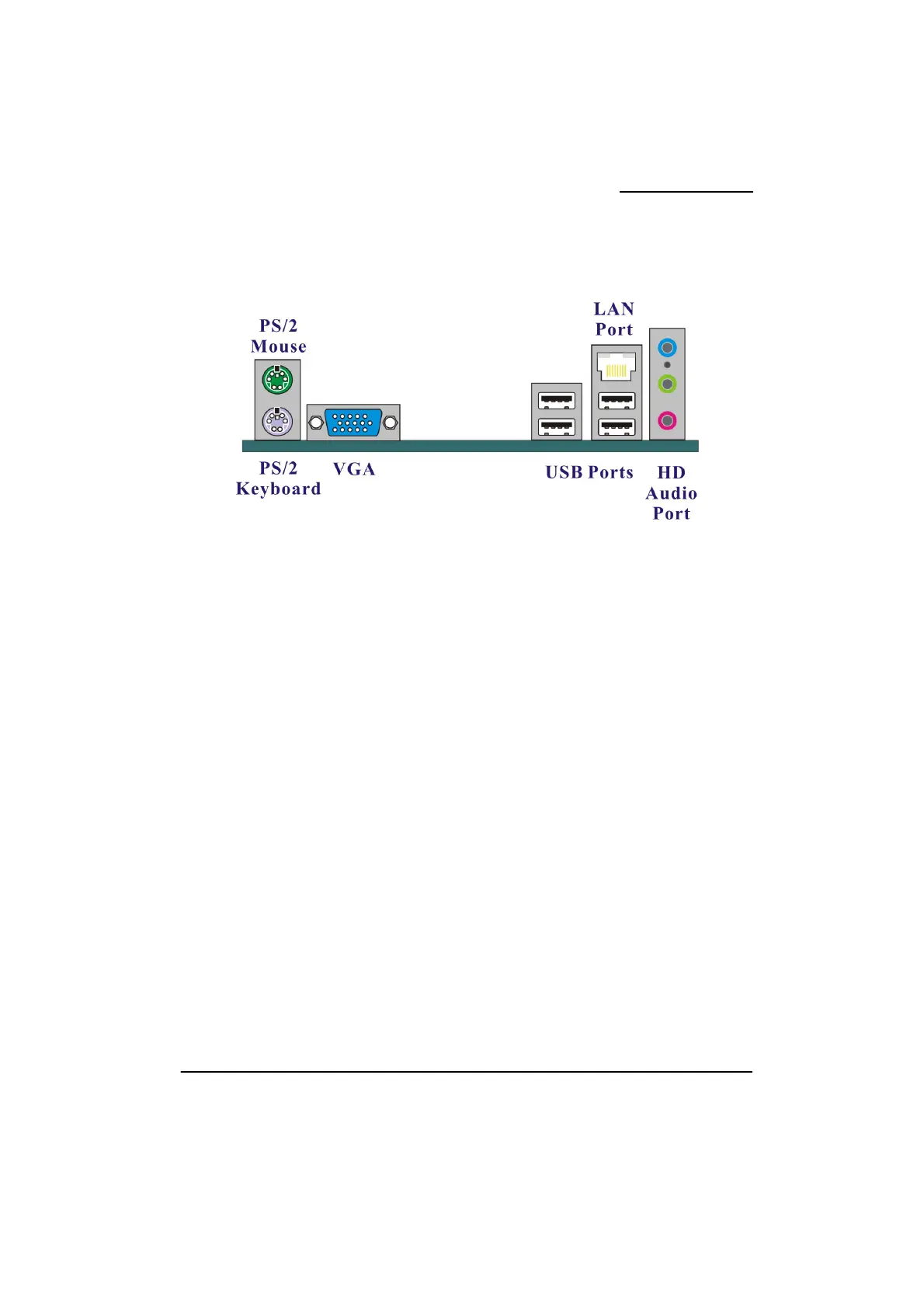
Back Panel Configuration
PS/2 Mouse & PS/2 Keyboard Ports: KB/MS
This mainboard provides a standard PS/2 mouse port and a PS/2 keyboard port.
VGA (D-SUB) Connectors: VGA
The mainboard provides one VGA connector (= D-Sub connector) on the case back panel.
VGA connector (= D-Sub connector) delivers the analogy signals, and is able to connect with
traditional CRT display, flat display, or other display device which with the D-Sub interface
compatible.
USB Ports/LAN Port: USB1, USBLAN2
There are four onboard USB 2.0/ 1.1 ports on the back panel. These USB ports are used to
attach with USB devices, such as keyboard, mice and other USB supported devices. There is
also one 10/100 Mbps Ethernet LAN port available for you to attach an Internet cable.
Audio Ports: SOUND
This mainboard provides three audio ports, the Mic, Line-in and Line-out. These are the
standard audio ports that provide basic audio function.
Line-In (Blue)
This port is for audio input and connects to external audio devices such as CD player, tape
player, etc. When the multi-channel audio system is enabled, this port will output audio for the
rear speakers.



 To Next Page