Mainboard PM73V
13
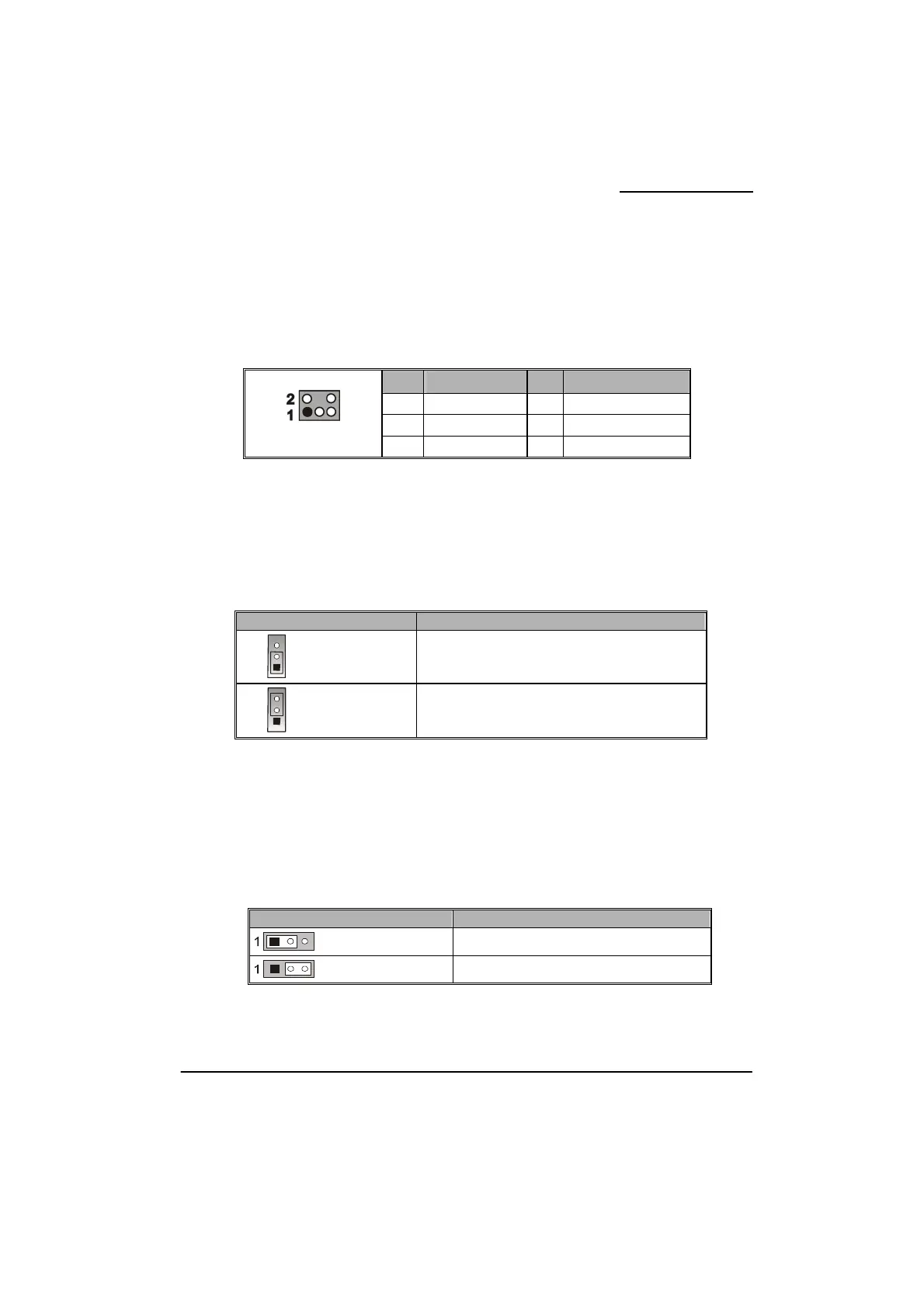
IrDA Header: IR
The infrared sensing device attached to this header can support to provide wireless infrared.
You can transfer data connectionless to or from the portable device (i.e., laptop, PDA, etc.)
which with this header attached.
Keyboard/Mouse & USB Power On function Header: JP1
PS/2 Keyboard and PS/2 Mouse attached to the back panel can awaken the system from sleep
mode. In order to enable this functionality, you must adjust the jumper caps on JP1 header as
the table below.
JP1 Assignment
1
Pin 1-2 Closed
KB/MS & USB Power ON Disable (Default)
1
Pin 2-3 Closed
KB/MS & USB Power ON Enabled
Note: Close stands for putting a jumper cap onto two header pins.
Clear CMOS Jumper: JBAT
The “Clear CMOS” function is used when you are unable boot your system and need to reset
the BIOS settings (CMOS settings) back to the manufacturer’s original settings. This is also a
way to reset the system password if you have forgotten it.
JBAT Assignment
Pin 1-2 Closed
Normal (Default)
Pin 2-3 Closed
Clear CMOS Data
Note: Close stands for putting a jumper cap onto two header pins.
Pin Assignment Pin Assignment
1 IRRX 2 GND
3 GND 4 N/C
IR
5 IRTX 6 VCC



 To Next Page