4
24V SC supply
Activates the supply voltage for the special controller.
24V external supply
Currently not active. Setting for later use.
Set factory settings
Resets the settings for “Speed stop/speed limit” and “Reduced speed” to the factory
settings. All the other settings included in the Opti-Box menu have to be reset using the
System-Set factory settings menu.
2. Programming
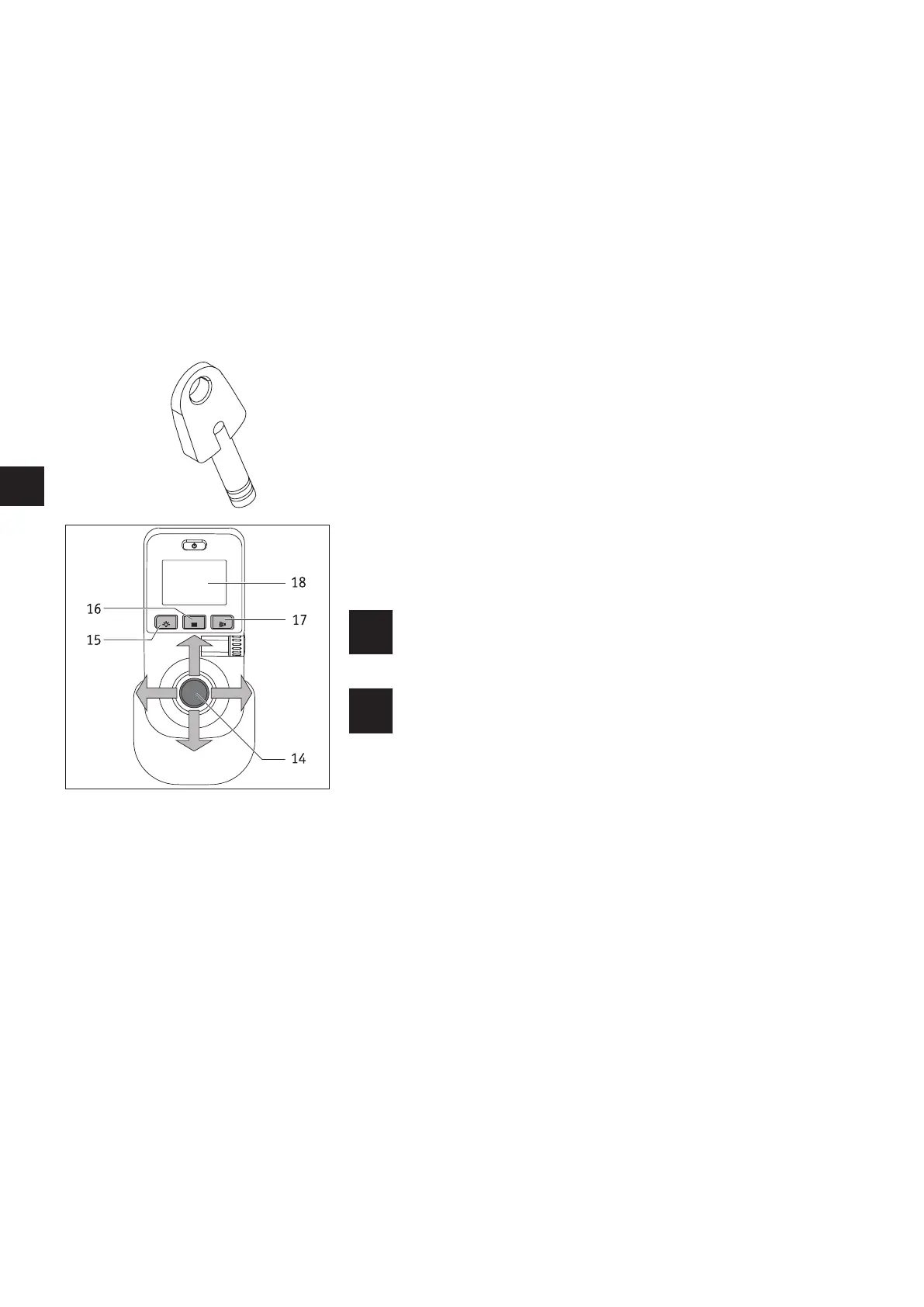
The different menus are navigated in the same way as described in the e-fix operating
manual. You also need the programming key (red) illustrated in the accompanying
diagram, which is included with every new e-fix delivery.
Parameters are selected and modified using the control unit joystick. Deflecting the
joystick up or down enables you to navigate through the menus, deflecting the joystick
sideways to the left or right makes settings to the different parameters, described in
detail in the following.
Buttons [15] to [17] enable you to select, save or test the modifications you have made
or leave a menu level.
The programming key must not be handed over to the user for safety
reasons. The driving parameters may only be modified by qualified
personnel (therapists, specialist dealers).
Adapting the various parameters should always be performed in the
presence of the wheelchair user because they can then test the modi-
fications immediately.
Should this not be possible, after reprogramming the user should take
a test drive under the supervision of specialist personnel to ensure
that the user can cope with the new driving characteristics.



 To Next Page