29
Using the Alber anti-tippers
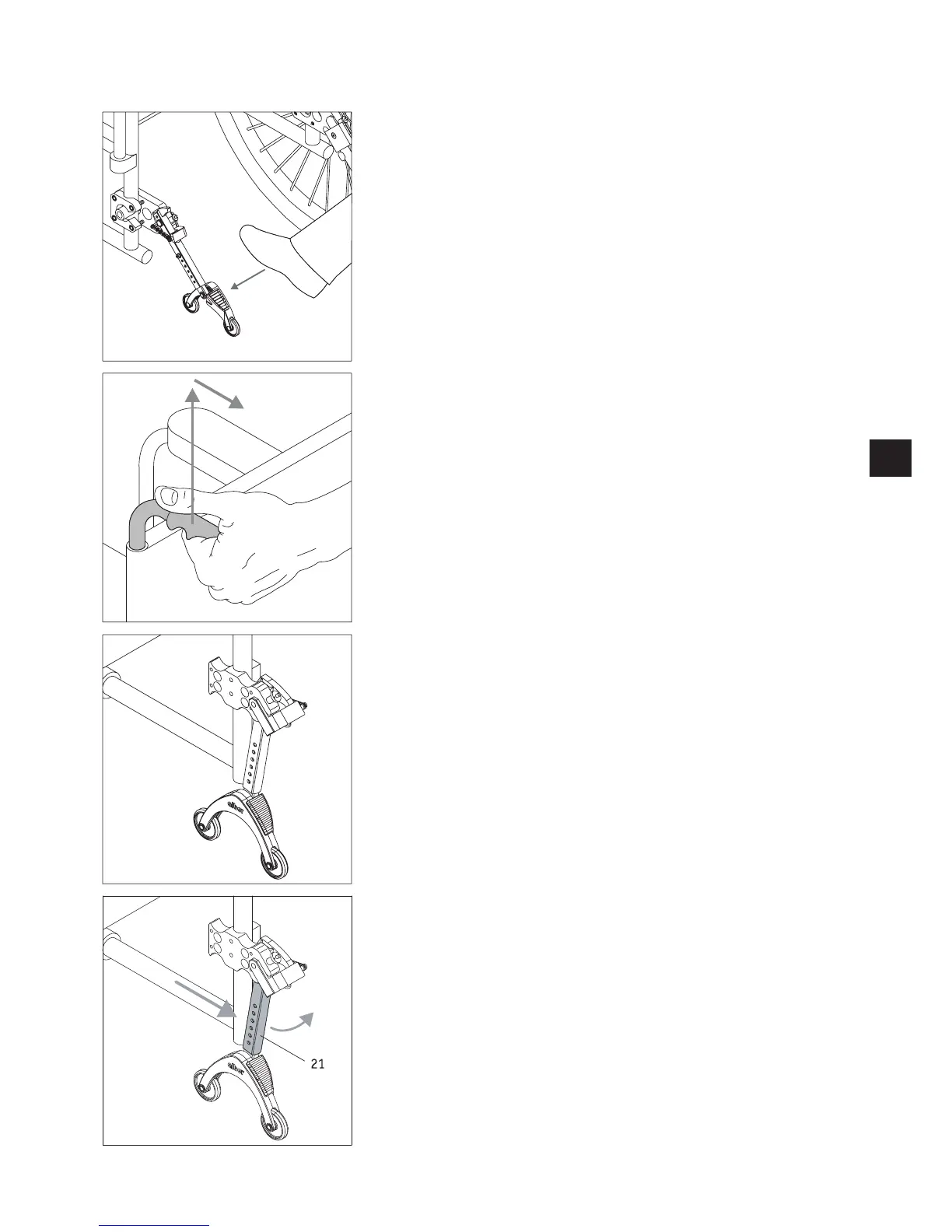
• Press your foot on an anti-tipper as shown in the diagram.
• Whilst doing so, pull the wheelchair upwards and to the rear a little by its handles
until the wheelchair has been raised and the anti-tippers click into a fixed position.
• You can now fit or remove a wheel. E-motion wheels must be switched off prior to fit-
ting and removal.
• Repeat the process with the second anti-tipper on the other side of the wheelchair.
• Once the wheels are fitted, you can return the anti-tippers to their starting position.
To do this, push the wheelchair forwards and push back the holding rod [21] using
your foot at the same time.



 To Next Page