16
5. Displays and fault indications on the wheel
5.1 The charge status of the battery
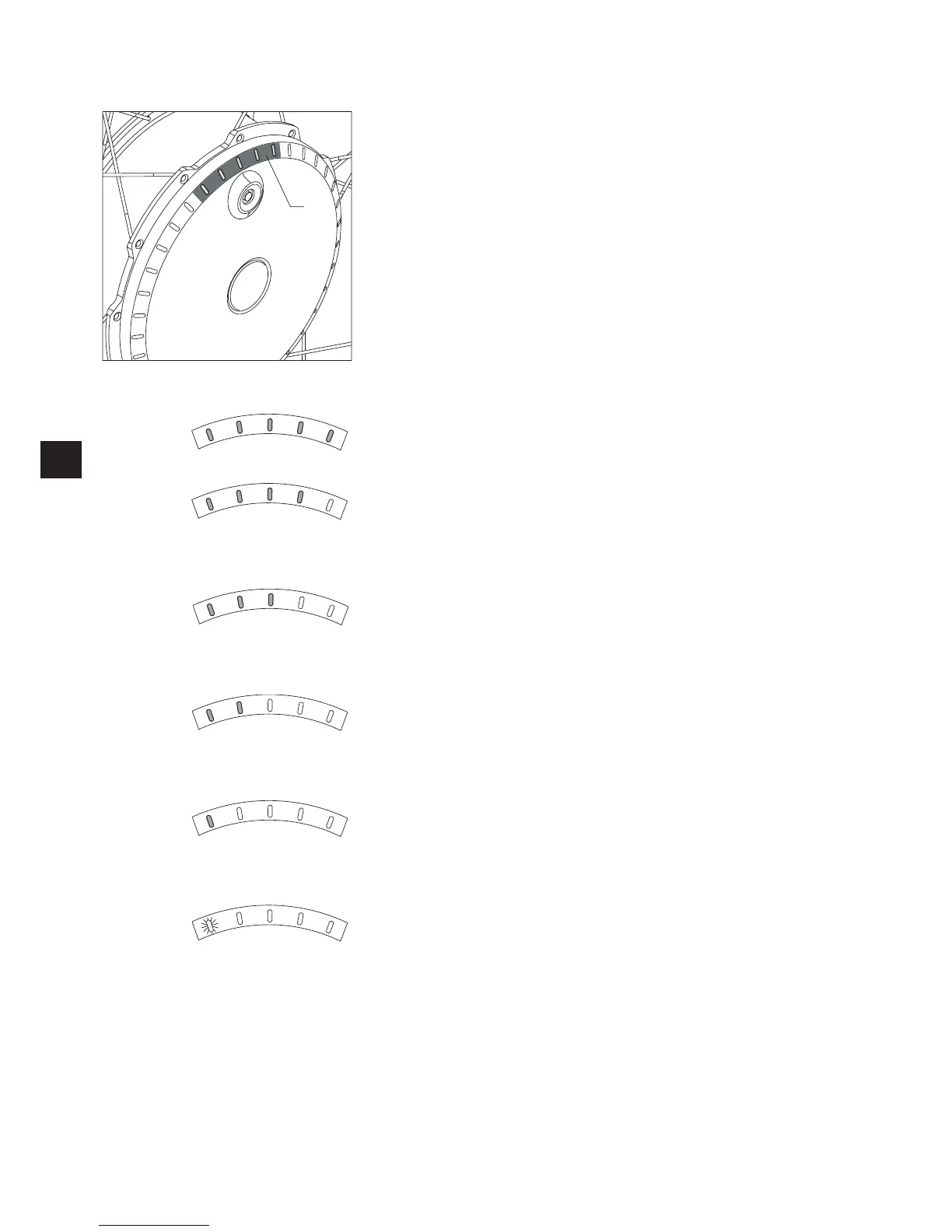
The charge status of the two twion batteries is displayed by the LEDs [1] that are fitted
to the wheel.
Every time you switch on a wheel, all 5 LEDs light up briefly and then display the
respective charge status of the battery. If the wheel moves, the LED display goes out; a
new display is shown when the wheel is idle again.
The following denote:
5 LEDs light up – the battery is charged to 100%.
Avoid high speeds when driving down slopes as the current feedback in the wheels may
lead to overvoltage in the battery and force the wheel to shut down.
4 LEDs light up – the battery is charged to 80%.
3 LEDs light up – the battery is charged to 60%.
2 LEDs light up – the battery is charged to 40%.
We strongly recommend that you do not cover expansive distances without previously
charging the batteries.
1 LED lights up – the battery is charged to 20%.
Charge the battery before using the twion.
1 LED (red) lights up – the battery is charged to 10%.
Charge the batteries before using the twion.
1



 To Next Page