User manual
8AL91434ENABed01 101 /113
• The first add-on is connected to the desk phone.
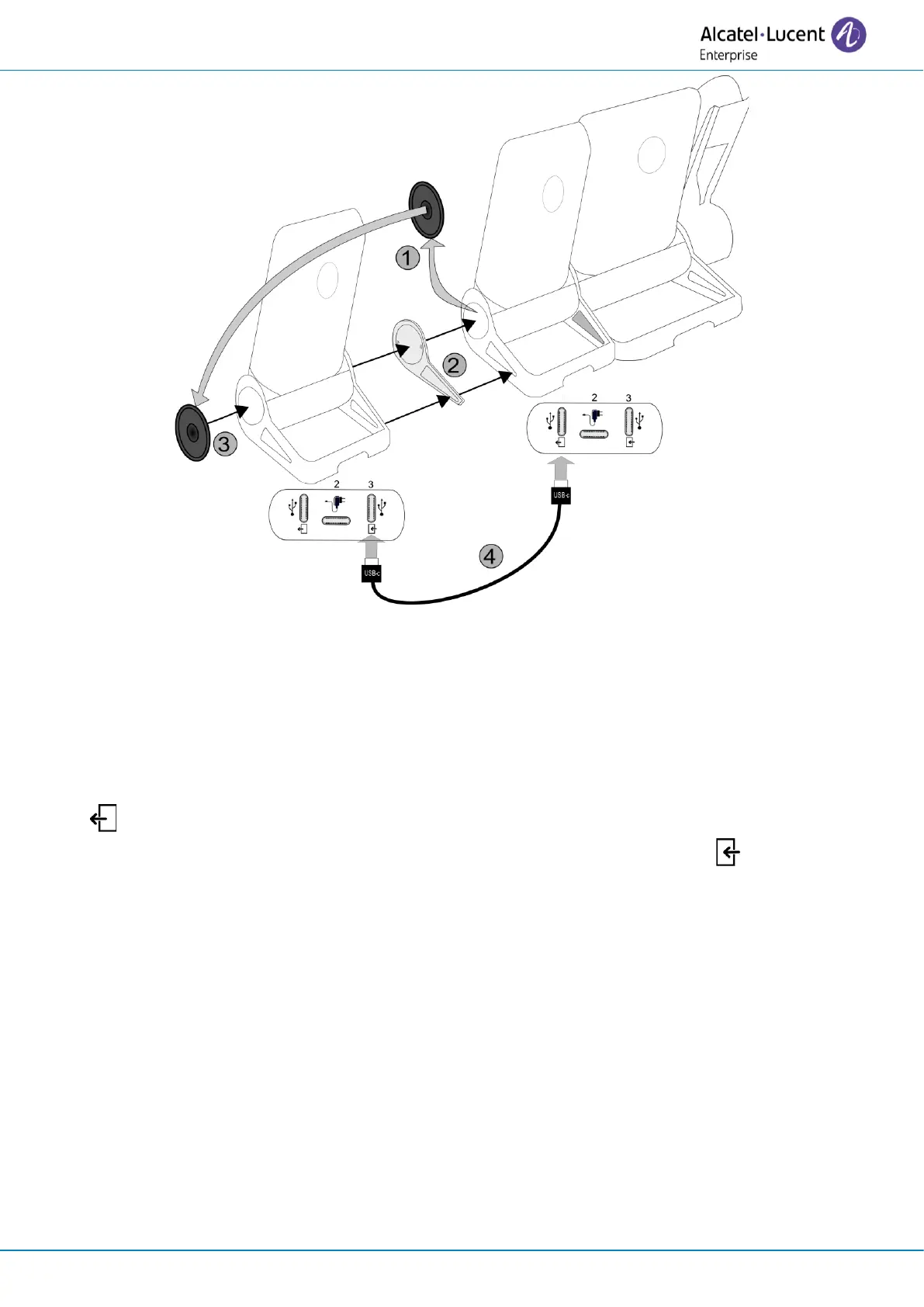
• Fix the add-on to the other add-on by using the provided foot clip.
o Remove the cover on the foot of the desk phone or the installed add-on module, on the side
where you want to attach the new add-on module.
o First place the provided foot clip on the add-on module and clip the second side to the desk
phone foot or installed add-on module.
o Place the cover previously removed on the outside of the add-on module.
• Plug the provided cord of the new add-on into the dedicated socket behind the connected add-on (
)
• Plug the other end of the cord into the dedicated socket behind the new add-on ( ).
• Restart the desk phone (unplug and plug in the power jack if you are using an external power
adapter or the Ethernet connector – LAN).



 To Next Page