User manual
8AL91434ENABed01 24 /113
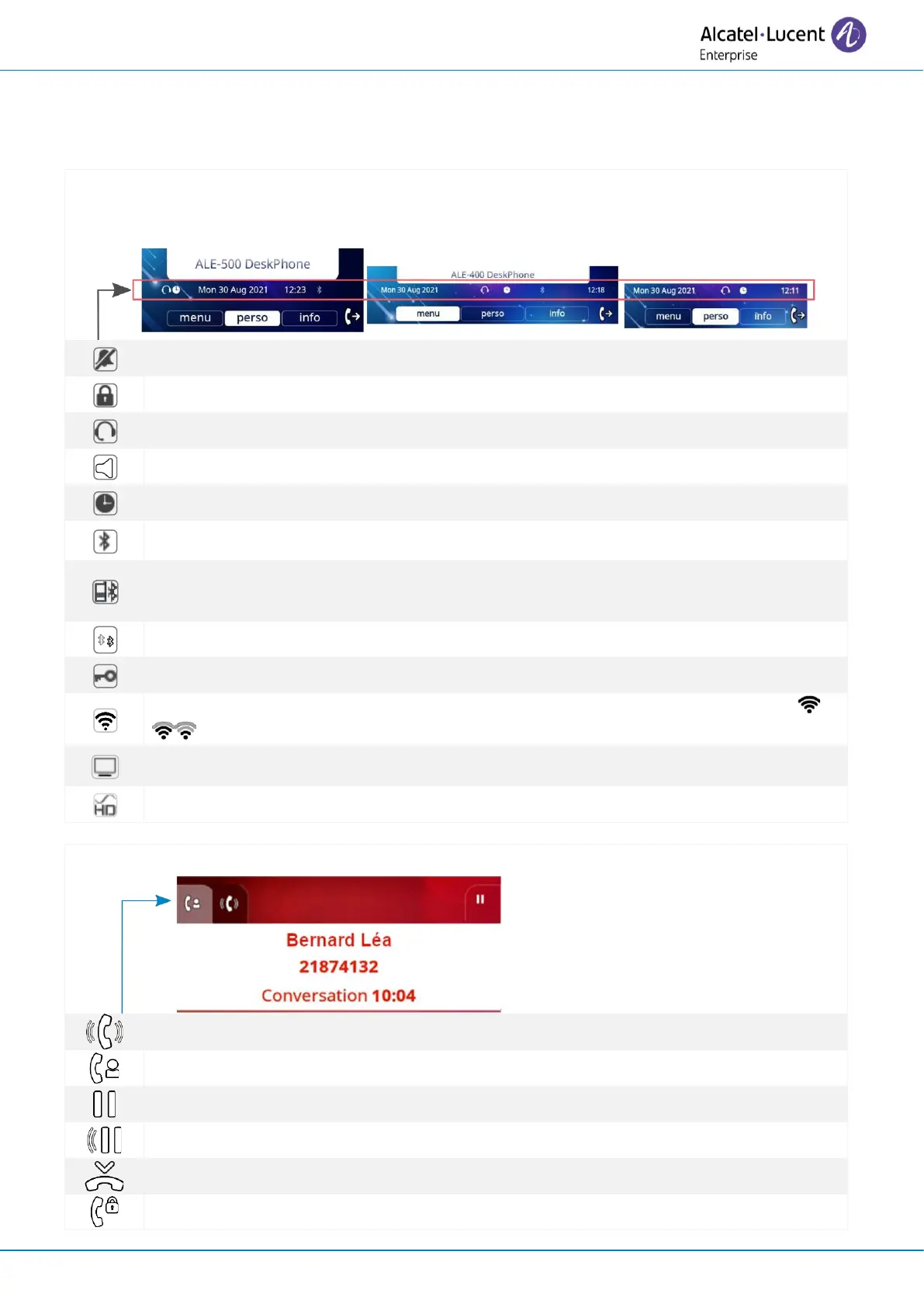
1.11 Status icons/ Call icons
Icons giving information about some specific configurations of the phone or about call status are
displayed in the top bar of the screen.
Status icons
Depending on the size of the display, all status icons may not be displayed simultaneously. Which
icons are displayed depend on their priority. The following icons are listed according to their
priority, from the highest to the lowest.
Light color: Bluetooth® enabled without any paired devices.
Dark color: Bluetooth® accessory paired.
Light color: a Bluetooth® mobile phone has been paired but it is not connected.
Dark color: Bluetooth® mobile phone connected (the desk phone is used as Bluetooth®
audiohub).
Active Bluetooth® connection.
Wi-Fi enabled. The strength of the Wi-Fio signal is indicated by the following icons:
.
Light color: USB audiohub activated.
Dark color: audiohub is activated and a computer is connected to the desk phone.
Symphonic HD audio is used during conversation.
Retrieve call icon (retrieve the first call after having ended a second call, for example).



 To Next Page