Related Documentation - Other languages for Safety and Regulatory Instructions and User Documentations are available at the following Web site:
https://www.al-enterprise.com/products. 8AL91434ENABed01 - The Alcatel-Lucent name and logo are trademarks of Nokia used under license by ALE.
© Copyright 2022 ALE International, ALE USA Inc.
Alcatel-Lucent Enterprise ALE-500 / ALE-400 / ALE-300 Enterprise DeskPhone - Quick guide
OXO Connect
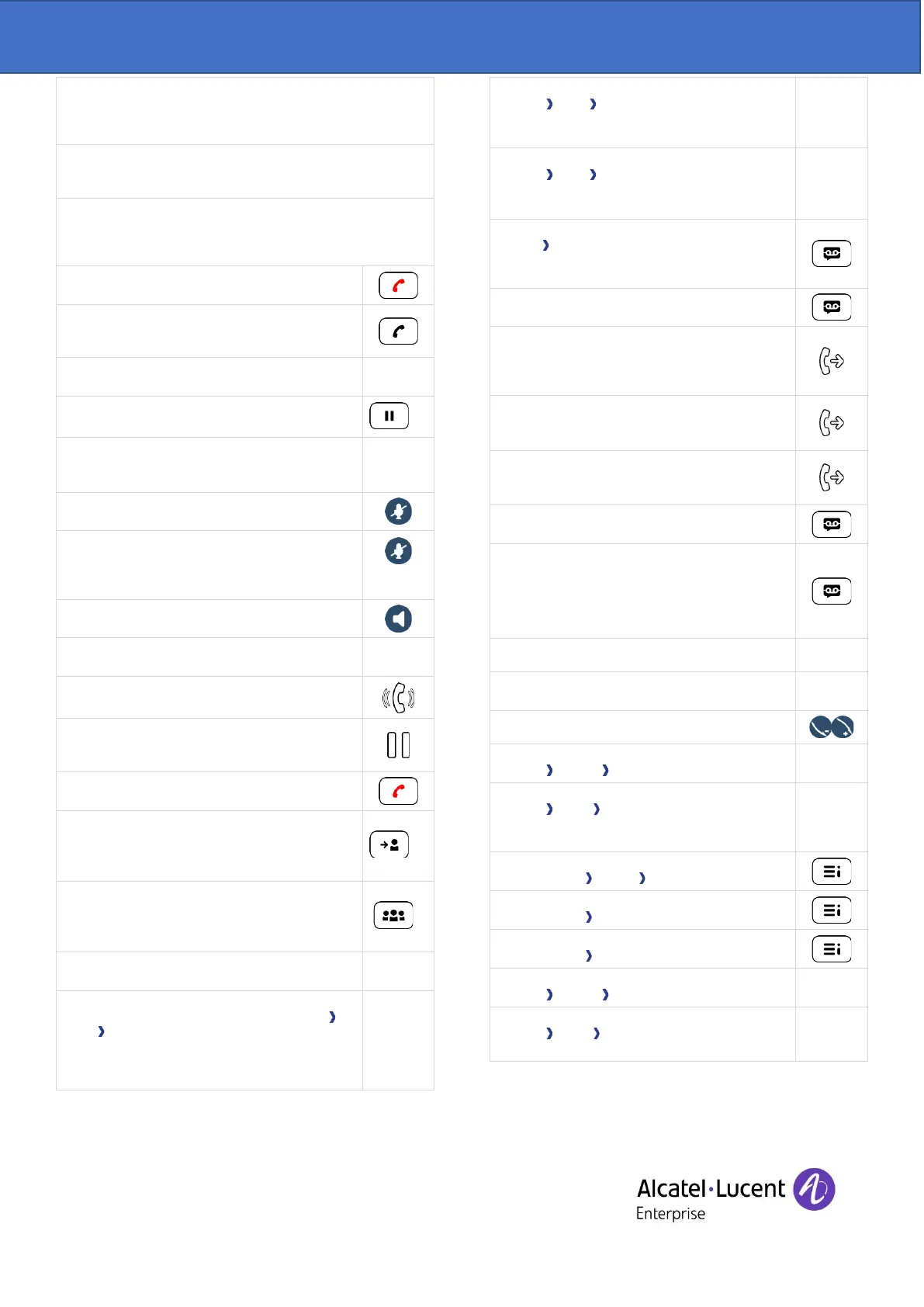
Call
Dial the number directly or dial the number after pressing a line
key (an off-hook key phone or Bluetooth® handset, hands-free
key).
Call by name (Company directory)
Enter the name, contact's surname/name or initials and follow
the on-screen instructions.
Answer a call
Take the handset off the hook, use an off-hook key (phone or
Bluetooth® handset), use the hands-free key, or press the
incoming call icon.
Ignore the call / End the call.
Redial
Long press to access the list of the last 8 dialed
numbers.
Make a call-back request to a busy number
Callback
Placing a call on hold (hold)
Hold
Sending DTMF signals
■MF code
Send numbers.
Interphony
The phone automatically answers the call.
Before the line is taken, you hear a succession of
specific beeps.
Switching between audio modes
Making a second call during a conversation
New call
Answering a second call during a conversation
Select the incoming call icon.
Switching between calls (Broker call)
Select the call on hold icon from the conversation
screen.
To cancel your second call and recover the first
You automatically recover the first call.
Transferring a call
You are in conversation with one contact.
Call a second contact.
Transfer.
Conference
Call the first contact.
Call the second contact.
Conference.
Make calls via your programmed call keys
Press the desired programmed call key.
Programming direct call keys
Select an empty programmable key or Settings
Phone Key program
Select the key to program.
Enter the name and number to associate to the
key.
Modify the programmed key
Settings Phone Key program
Press the programmed key to be modified.
Follow the on-screen instructions.
Erase a programmed key
Settings Phone Key program
Select the key to be erased.
Follow the on-screen instructions.
Customizing your voice greeting
Settings Mailbox
You can listen to the greeting, customize the
greeting and set the default greeting.
Consulting your voice mailbox
Diverting calls to your voice mailbox
Select the forward icon.
Immediate>VM
Select the type of call forwarding required.
Cancel forward
Select the forward icon.
Cancel fwd.
Do not disturb
Select the forward icon.
DoNotDisturb (DND)
Read text messages
ReadTxtMsg
Send text messages
Text mail / New text message / New text messages
Send
Enter the destination number.
Select the type of message to send (fixed Msg, New
Msg,...).
Information about the phone
Lock/unlock the phone
Lock
Select the language of your choice
Settings Options Language
Choose the tune
Settings Phone Ringing
Adjust the ring via the following menus: Melody,
Silent, Beeps, Volume, etc.
Adjust the brightness of the set
Press the 'I' key Display Brightness
Bluetooth® feature
Press the 'I' key Bluetooth
Change the theme (skin) of your phone
Press the 'I' key Skin
Modify the password for your phone set
Settings Options Password
Homepage
Settings Phone Homepage
Select the default page.
(1)
Depend on system configuration for specific countries as United
States.


 To Previous Page