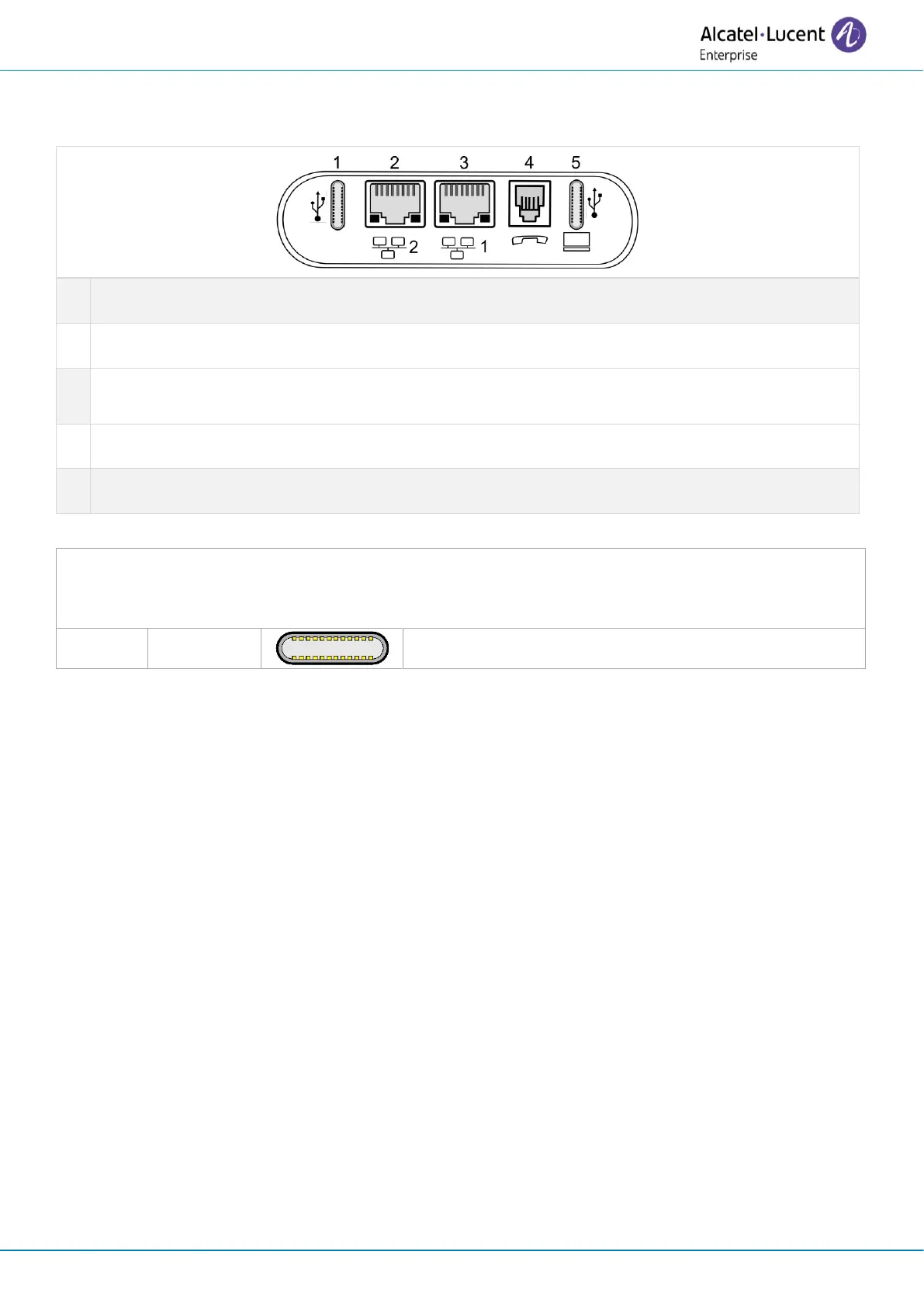
10/100/1000 Mbps Ethernet connectors to the enterprise network (LAN - RJ45). Use this port to
connect the desk phone to the enterprise network.
(1)
USB connectors (Universal Serial Bus) – USB type C.
These connectors are agnostic, meaning that you can use either connector to connect USB-C power
adapter, USB keyboard, USB headset, an audio equipment, a USB stick, a Bluetooth® USB dongle
provided with a Bluetooth® headset.This connector can be used to charge a smartphone.
1.14.2 Plug in the phone
The phone can be powered either via a power adapter (5V/3A - sold separately) or via Power over
Ethernet (PoE). The power adapter can be connected to a USB-C connector (1 or 2).
If you are using a power adapter, a warning is displayed on the screen if the power is not sufficient.
1.14.3 Power boost
The Power boost feature allows a desk phone to get more power available from Power over Ethernet
(PoE) than requested through a default startup, for several needs such as more USB current for
accessories (smartphone charging). In this case, your administrator has to enable the USB Boost to
deliver more power. After restart, the phone changes its USB current limiter management, to increase
the available power from 240 mA to 1400 mA according to the model of your desk phone and can change
of PoE class.
Contact your administrator if necessary.
1.14.4 USB hub
If both USB-c ports are used (e.g. for power supply and headset), your desk phone supports most
commercially available dual port USB-c hubs. For more information, contact your installer or
administrator.


 To Next Page