User manual
8AL91434ENABed01 98 /113
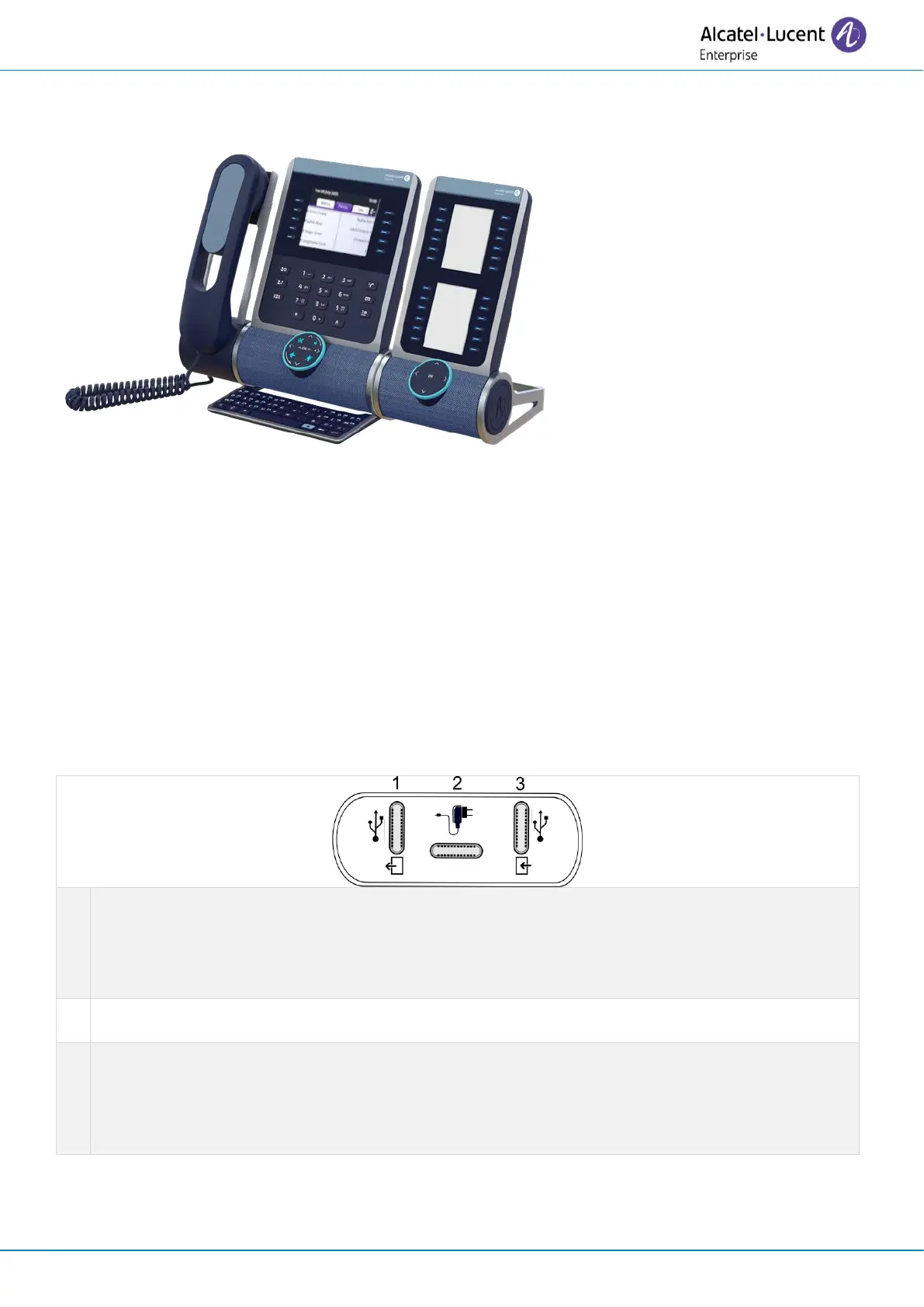
5.6 ALE-120 Key Expansion Module
5.6.1 Description
The ALE-120 Key Expansion Module allows you to add 24 programmable keys with LEDs for each virtual
page. It can display up to 2 virtual pages.
For the greatest comfort of use, it is equipped with 2 screens and a Smart Pad to navigate between
pages.
5.6.2 Unboxing
• ALE-120 Key Expansion Module (default color).
• 1x Foot clip.
• 1x USB-C to USB-C cable.
• Installation instructions.
• Safety and regulatory instructions.
5.6.3 Connectors
Universal Serial Bus (USB-C) connector.
Use this connector to connect an additional add-on to another add-on that is already connected
to the desk phone. If free, you can use this connector to connect a headset.
Use this connector to connect the USB key to update (see the chapter below).
Universal Serial Bus (USB-C) connector.
Use this connector to plug a power through USB (see chapter: Ordering information).
Universal Serial Bus (USB-C) connector.
Use this connector to connect the add-on to the desk phone or to another add-on already
connected to the desk phone.
Use this connector to connect the PC to update (see the chapter below).



 To Next Page