Programming your telephone
7
48
7.8
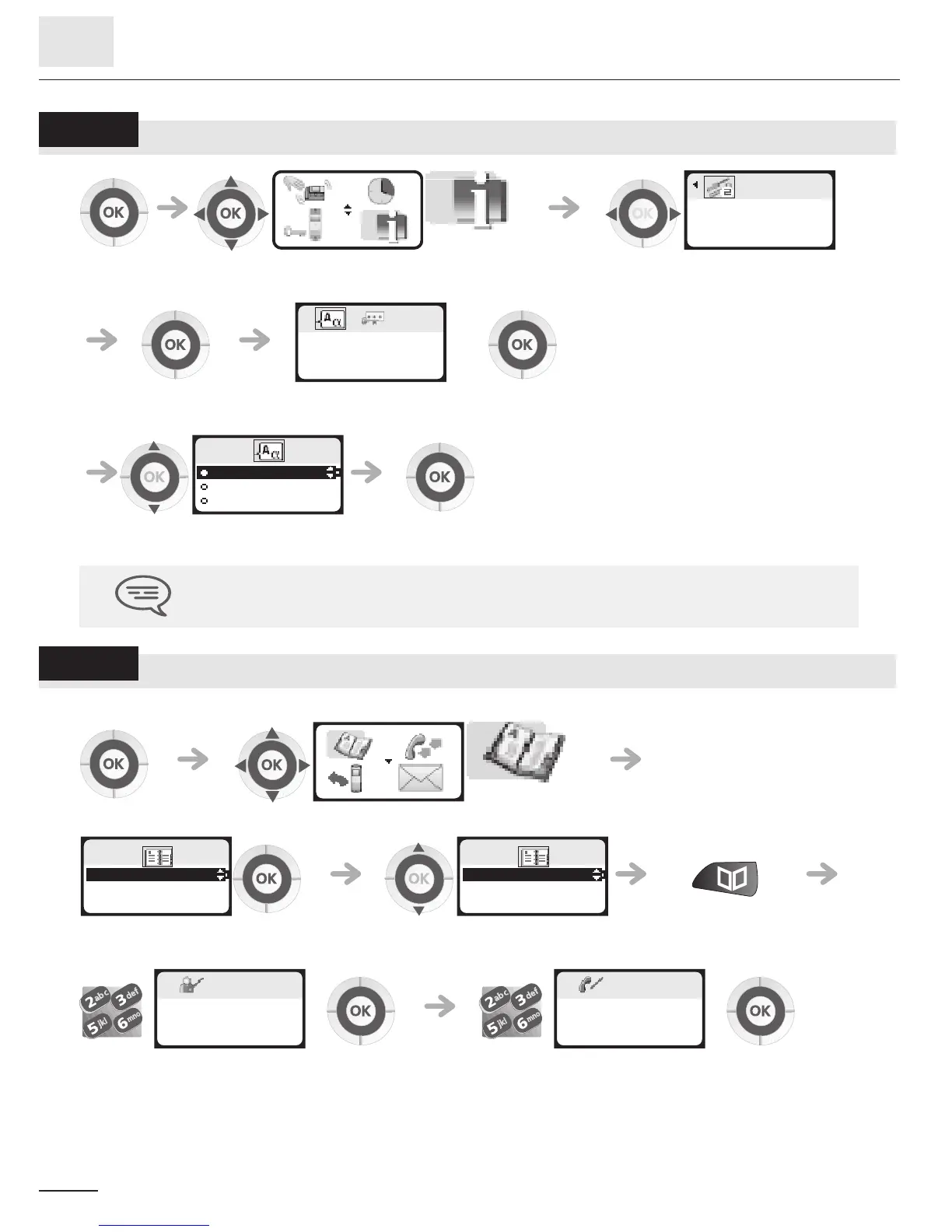
Selecting language
7.9
Programming your personal directory (Individual number)
Your personal directory can contain up to 10 numbers.
To key in the name: the keys in the keypad include letters that you can display by pressing them
successively.
Example: press '8' twice to display the letter 'U'.
select the 'customizing your telephone'
function
confirm access to 'options'
apply select the
'language' icon
apply
select the language of your
choice
apply
The initial language selection is made automatically by the system.
123 123
useroptions
OK?
123
Languages
OK?
123
Deutsch
Français
English
select the 'directories' function
confirm access to
'pers sp dial'
select the chosen card confirm (long press)
enter the name apply enter the number apply
123
123
PersSpDial
Directory
123
1-............
2-............
3-............
123
Name?
MARTIN
123
Number?
0123456789













 To Next Page