Registering the telephone
9
58
9.2
Registering the telephone on other systems
The telephone can be declared on several systems (maximum of 5).
Note: the input is usually reserved for use with your main Alcatel-Lucent system. You can select
the other inputs to register the telephone under another system (Alcatel-Lucent or other system).
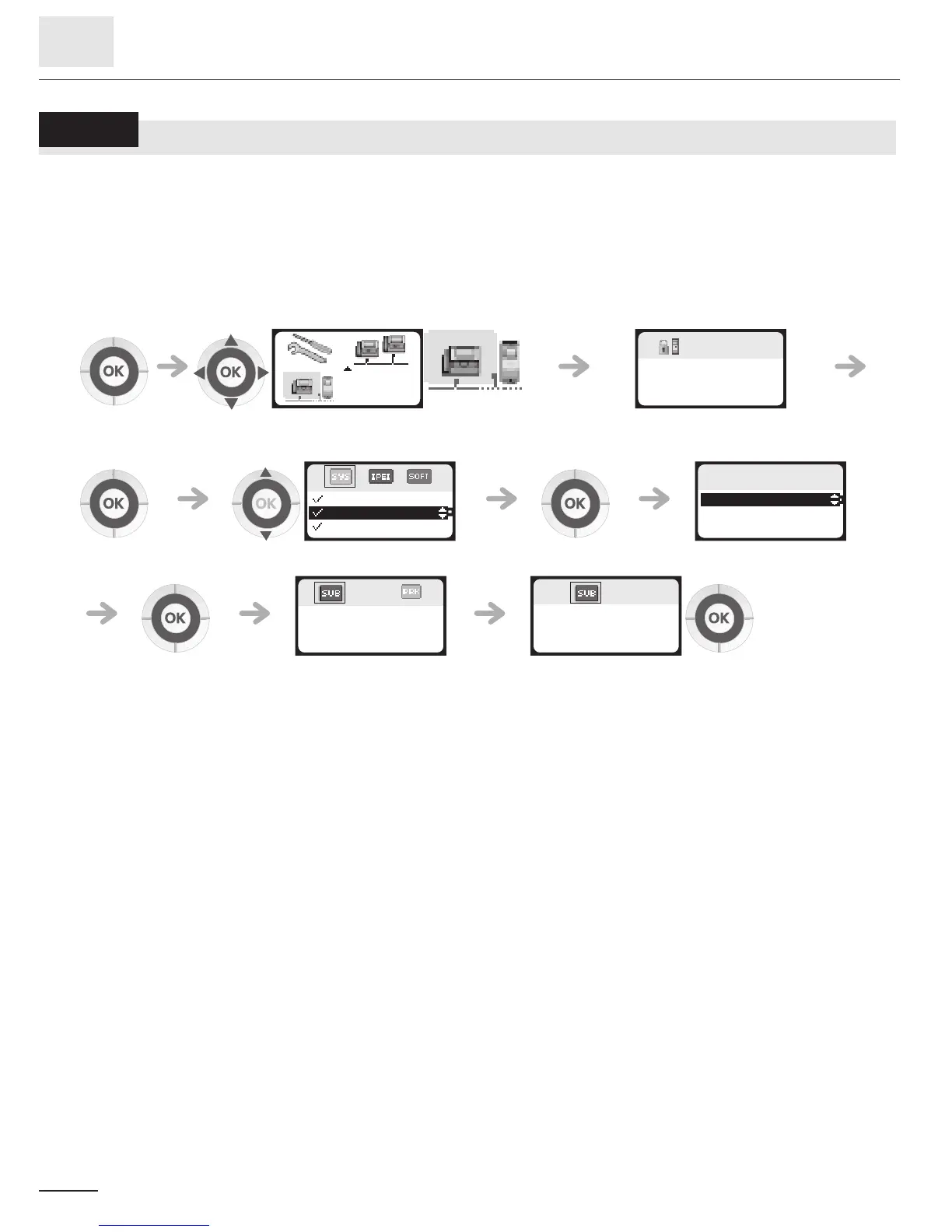
To make a new registration, when the telephone has already been registered on one
or more systems, proceed as follows:
1. Prepare your system for registration (see the system installation manual or consult your
installation manager).
2. When the system is ready:
select the 'installation' function enter the installation password
(314987)
apply select a system apply select 'install'
apply select the region corresponding
to your country *
123
123
Password?
. . . .
123
SYSTEM 1
SYSTEM 2
SYSTEM 3
123
SYSTEM 2
Install
Edit name
123
Launch
Subscription?
123
1-............
2-............
2-............













 To Next Page