EasyManua.ls Logo

Alcatel-Lucent OA5710V - User Manual

Alcatel-Lucent OA5710V
42 pages
Print Icon
To Next Page IconTo Next Page
Loading...
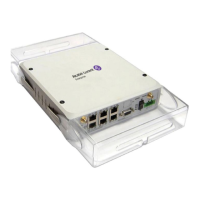
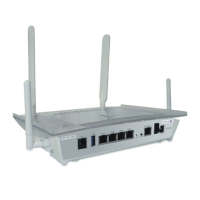
OA5710V Router
Installation Manual
Copyright© ALU Dm567-I Version 9.3 9/2017 Alcatel-Lucent Enterprise
Alcatel-Lucent Enterprise
Manual
OA5710V Router 1

Table of Contents

Questions and Answers

  • A
    Amy BurtonAug 1, 2025
    How to reset access password on Alcatel-Lucent OA5710V Network Router?
    • E
      Elizabeth SullivanAug 2, 2025
      If you've forgotten the access password for your Alcatel-Lucent Network Router, reset the configuration using the RST button, as detailed in the relevant section.
  • T
    Tracy BrockAug 7, 2025
    What to do if the Eth WAN LED never lights up in green on Alcatel-Lucent OA5710V?
    • J
      Jody JohnsonAug 7, 2025
      If the Eth WAN LED on your Alcatel-Lucent Network Router doesn't light up green, verify the Ethernet cable is properly connected to both the router and the network.
  • A
    Anne BeardAug 12, 2025
    Why the Wi-Fi LED never lights up in green on Alcatel-Lucent OA5710V?
    • M
      Madison RobinsonAug 12, 2025
      If the Wi-Fi LED on your Alcatel-Lucent Network Router doesn't light up green, examine both the router's and the remote stations' configurations. Also, ensure that you have the correct license for Wi-Fi use.
  • B
    Bethany RossAug 16, 2025
    What to do if the DSL LED never lights up in green on Alcatel-Lucent OA5710V Network Router?
    • Z
      Zachary ColemanAug 17, 2025
      If the DSL LED on your Alcatel-Lucent Network Router never lights up green, especially if your device uses an xDSL interface, ensure the router is correctly connected to the network or splitter. Confirm that your telephone line supports xDSL service.
  • M
    Michelle ParksAug 22, 2025
    How to fix USB LED if it never lights up in green on Alcatel-Lucent Network Router?
    • A
      alisha71Aug 22, 2025
      If the USB LED on your Alcatel-Lucent Network Router doesn't light up, verify that the USB device is supported by the router. Also, ensure that the appropriate license is available for use.
  • C
    Christopher MartinezAug 27, 2025
    Why none of the LEDs lights up on Alcatel-Lucent OA5710V Network Router?
    • R
      Ricky CrosbyAug 27, 2025
      If none of the LEDs light up on your Alcatel-Lucent Network Router, check the power supply. This includes the power source, the ON/OFF switch, and the main power outlet.

Summary

About This Manual

Supported Devices

Information specific to the OA5710V router.

Technical Support

Contact details and resources for technical assistance.

Related Documentation

List of other manuals relevant to the device.

OA5710 V Router Features

Power Supply

Information on the device's power source requirements.

Hardware Monitoring

How to monitor the device's hardware status using LEDs.

Components and Power Supply

Front and Rear Panel Components

Details on connectors and indicators on the front and rear panels.

Side, Underside, and Top Panels

Wi-Fi antennas, SIM tray, LEDs, and panel features.

Mounting Options

Procedures for standalone and wall mounting the router.

Plug-in Modules and Power Source

Installing modules and connecting the power supply.

RST Button and Data Connections

Rebooting, default configuration, and connecting data interfaces.

SIM Card Installation

Step-by-step guide for inserting the SIM card into the 3G module.

Compliance and Safety

Manufacturer and Safety Warnings

Manufacturer details and essential safety precautions.

Regulatory Declarations

Information on WEEE, REACH, China RoHS, EC Declaration, CE Marking.

FCC and IC Statements

Compliance details for FCC and Industry Canada regulations.

Technical Information

Troubleshooting and Software Updates

Solutions for common problems and procedures for updating software.

Connector Pinouts

Detailed pin configurations for various device connectors.

Technical Specifications

Detailed specifications for hardware, interfaces, and power.

Environmental Specifications

Recommended temperature and humidity ranges for operation and storage.

Radio Frequency Specifications

LTE Radio Specifications

Details on LTE bands, frequencies, and transmit power.

GSM;WCDMA Radio Specifications

Details on GSM/WCDMA bands, frequencies, and transmit power.

Wi-Fi Radio Specifications

Details on Wi-Fi frequency ranges, operating modes, and power levels.

Alcatel-Lucent OA5710V Specifications

General IconGeneral
ManufacturerAlcatel-Lucent
ModelOA5710V
Form FactorRack-mountable
Product TypeRouter
Operating Temperature0°C to 40°C
Storage Temperature-40°C to 70°C
Humidity5% to 95% non-condensing

Related product manuals