EasyManua.ls Logo

Alcatel-Lucent OA5725R - User Manual

Alcatel-Lucent OA5725R
39 pages
Print Icon
To Next Page IconTo Next Page
Loading...
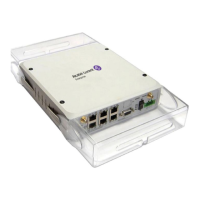
OA5725R Router
Installation Manual
Copyright© ALU-DM595-I Version 6.3 04/2016 Alcatel-Lucent Enterprise
Alcatel-Lucent Enterprise
Manual
OA5725R Router 1

Table of Contents

Questions and Answers

  • J
    Jennifer TownsendJul 31, 2025
    How to fix Alcatel-Lucent Network Router when I've forgotten the access password?
    • M
      Matthew WaltersJul 31, 2025
      If you have forgotten the access password for the Alcatel-Lucent Network Router, you can ignore the current configuration by using the RST button, as explained in the relevant section.
  • Y
    yjohnsonAug 4, 2025
    What to do if the local console only displays rubbish on my Alcatel-Lucent OA5725R?
    • S
      Stephanie BradleyAug 5, 2025
      If the local console displays only rubbish on your Alcatel-Lucent Network Router, verify that the terminal has the correct port configured and that the terminal configuration is set to 9600 8N1.
  • E
    Elizabeth WilsonAug 8, 2025
    How to troubleshoot if none of the LEDs light up on my Alcatel-Lucent OA5725R?
    • G
      Gabriella BrownAug 8, 2025
      If none of the LEDs light up on your Alcatel-Lucent Network Router, check the power supply to the device, including the power cable and the main power outlet.
  • L
    lewisamyAug 13, 2025
    What to do if the LAN LED does not light up in green on my Alcatel-Lucent OA5725R?
    • I
      Ian BryantAug 13, 2025
      If the LAN LED on your Alcatel-Lucent Network Router doesn't light up green, check the Ethernet cable and the network connection. You might need a crossover cable.
  • A
    Annette CarrilloAug 17, 2025
    What does it mean if the S LED is red on my Alcatel-Lucent OA5725R?
    • G
      Gary RodriguezAug 17, 2025
      If the S LED on your Alcatel-Lucent Network Router is red, check the following: * Ensure the SIM card has been inserted correctly. * Verify that the SIM PIN is correct. * Confirm that the antenna is properly installed (screwed in correctly). * Get your technical service to check that the device is in the optimum position for the service.
  • J
    Juan SmithAug 22, 2025
    Why does the Alcatel-Lucent OA5725R lose date and time after restarting?
    • M
      Michael HickmanAug 22, 2025
      If the Alcatel-Lucent Network Router loses the date and time after a restart, it is because parameters configured through the time set command are not persistent. To resolve this, use the NTP protocol to maintain the date and time configuration.
  • A
    Ashley MejiaAug 26, 2025
    What to do if the local console does not respond on my Alcatel-Lucent OA5725R Network Router?
    • Y
      ytorresAug 27, 2025
      If the local console on your Alcatel-Lucent Network Router does not respond, check the following: * Ensure the console cable is the correct one and is connected to both the device and the asynchronous terminal. * Verify that the terminal has the correct port configured. * Confirm that the terminal configuration is set to 9600 8N1. * Ensure that the console is not an events process.

Summary

About This Guide

Supported Devices

Specifies which devices the installation guide applies to.

Manual Audience and Purpose

Identifies the target audience and timing for consulting the manual.

Manual Content Overview

Outlines the content covered and clarifies topics not included.

Information Organization

Explains the structure and organization of the manual's content.

Technical Support Contact

Provides contact details for technical assistance and support.

OA5725 R Overview

Product Characteristics

Details the key features and capabilities of the OA5725R router family.

Components and Power Supply

Components Overview

Describes the physical parts and connectors of the OA5725R router.

Assembly and Mounting

Provides instructions for assembling or mounting the router.

Power Supply Management

Information on the power requirements and connection for the router.

Reset and Configuration

Explains the functionality and usage of the reset button and default configuration.

Data Connectivity Options

Details how to connect various network interfaces to the router.

Installing the SIM Card

SIM Tray Identification

Locates and identifies the SIM card slots within the device.

SIM Card Installation Procedure

Step-by-step instructions for inserting a SIM card into the device.

Compliance and Regulatory Information

Manufacturer and Product Compliance

Provides details about the manufacturer and product compliance statements.

Safety and Environmental Guidelines

Important safety precautions and disposal information for the device.

Chemical and Regulatory Compliance

Compliance statements related to chemical regulations and REACH.

Radio Frequency and FCC Compliance

Details on operating frequencies, FCC statements, and interference.

Industry Canada Statements

Statements and compliance information related to Industry Canada.

Technical Information and Troubleshooting

Troubleshooting Common Issues

Table of common issues and their solutions for device installation.

Software and Firmware Updates

Guidance on how to update the router's firmware and software.

Router Connectivity and Access

Methods for accessing the router's command-line interface (CLI).

Physical Connector Specifications

Detailed description of the router's physical connectors.

Detailed Technical Specifications

Comprehensive technical details of the router's interfaces and power.

Radio Frequency Information

LTE Radio Specifications

Technical specifications for LTE radio frequencies and power.

GSM;WCDMA Radio Specifications

Technical specifications for GSM/WCDMA radio frequencies and power.

Alcatel-Lucent OA5725R Specifications

General IconGeneral
ManufacturerAlcatel-Lucent
ModelOA5725R
Product TypeRouter
Storage Temperature-40°C to 70°C
Humidity5% to 95% non-condensing

Related product manuals