10 Phone Basics
Phone Basics 11
1. From a screen where you can enter text, press to change the text mode.
2. Select one of the following options:
ɒ Abc to enter characters by using the alphabet mode.
ɒ 123 to enter numeric characters.
ɒ Symbols to enter symbols.
ɒ Smileys to enter smile icons.
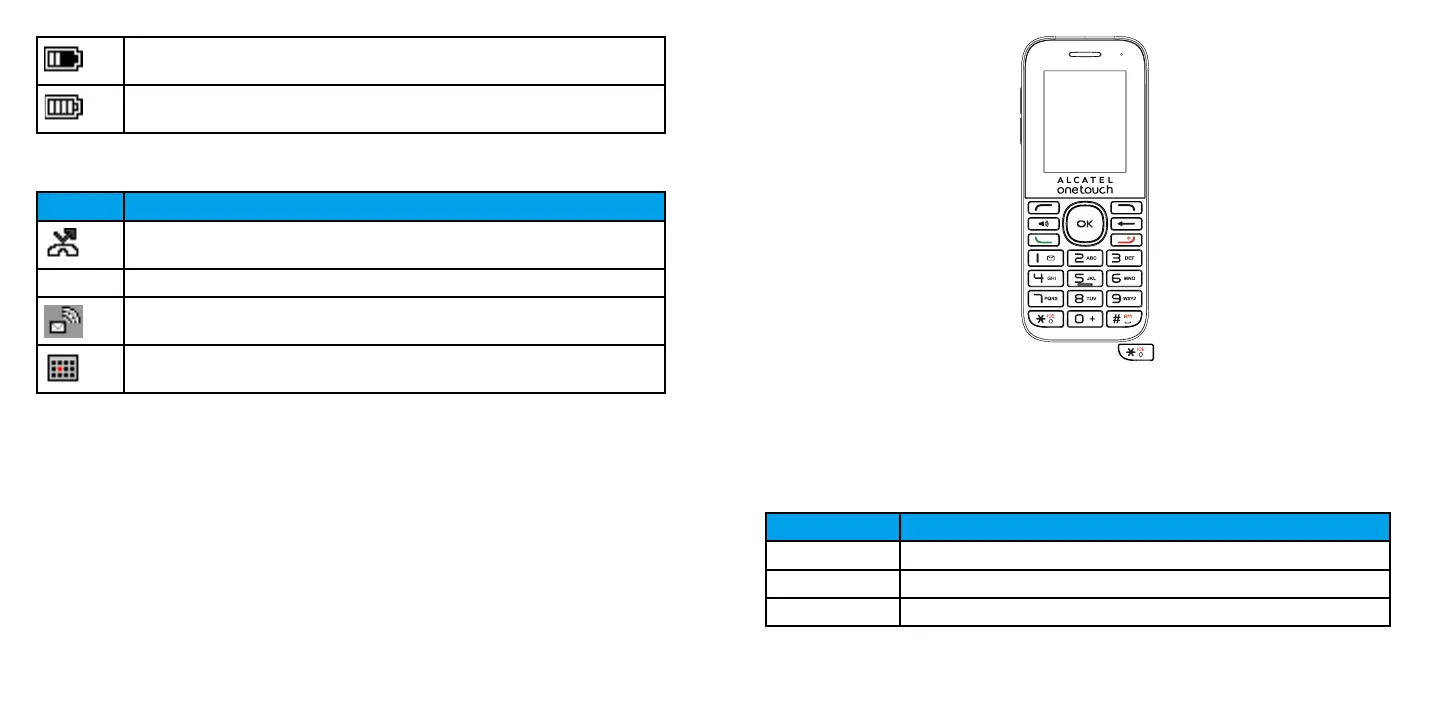
Number Key Function
1 1, commonly-used symbols
2 a, b, c, A, B, C, 2
3 d, e, f, D, E, F, 3
Battery (charging)
Battery (full charged)
Main Notification Icons
Icon Notification
Missed call
New message
New Voice Mail
Event
Enter Text
You can type on your phone using the keypad.
Keypad
Your phone provides a convenient keypad to enter letters, numbers, and symbols whenever you
are prompted to enter text.













 To Next Page