21 22
1.2 Getting started
1.2.1 Setting up
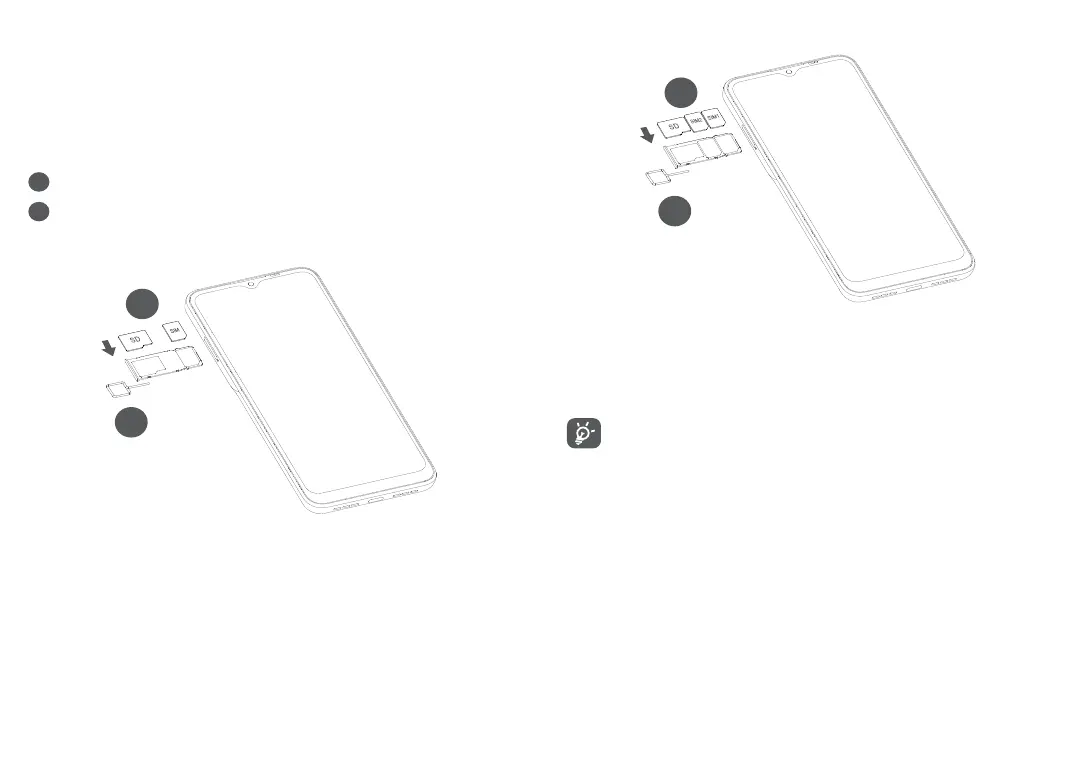
Inserting or removing the SIM/microSD card
1
Insert the pin into the hole and pull out the tray.
2
Insert or remove your SIM card or microSD card.
Single-SIM
2
1
Dual-SIM
2
1
You must insert your SIM card to make phone calls. You
do not need to power off your phone before inserting
or removing the SIM card as this phone supports hot
swap.
Your phone only supports nano-SIM cards. Do
not attempt to insert other SIM types; otherwise
this may cause damage to your phone.



 To Next Page