69 70
3.5 Clock ................................................
Your mobile phone has a built-in clock.
To view the current time, swipe up the Home screen,
then touch Clock.
3.5.1 Alarm
From the Clock screen, touch Alarm to enter.
• Turn on to enable the alarm.
• Touch to add a new alarm, touch to save.
• Touch a currently existing alarm to enter the alarm
editing screen.
• Touch DELETE to delete the selected alarm.
3.5.2 Clock
To view the date and time, touch Clock.
• Touch to add a city from the list.
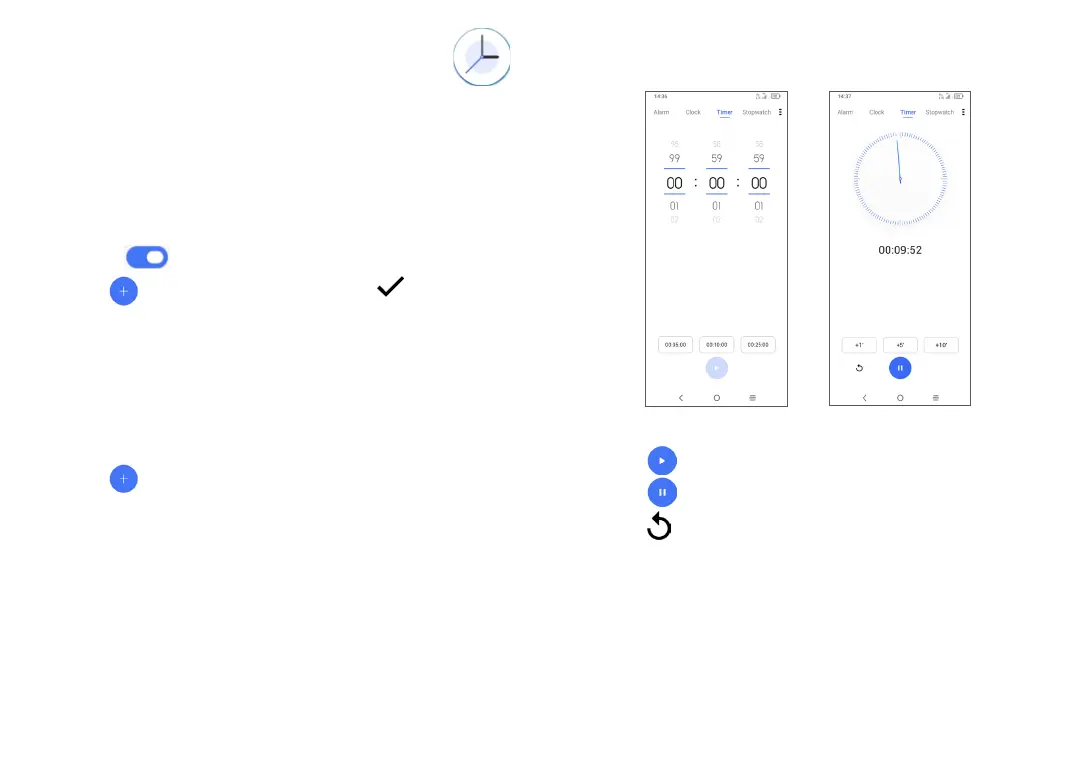
3.5.3 Timer
From the Clock screen, touch Timer to enter.
• Set the time.
• Touch to start the countdown.
• Touch to pause.
• Touch to reset.



 To Next Page