45 46
1.3.4 Personalizing your Home screen
Add
Touch and hold a folder, an application or a widget and
drag the item to your preferred Home screen.
Reposition
Touch and hold an item and drag it to the desired
position and then release. You can move items both on
the Home screen and the Favourites tray. Hold the icon
on the left or right edge of the screen to drag the item
to another Home screen.
Remove
Touch and hold an item and drag it up to the top of the
Remove icon, then release.
Create folders
To improve the organisation of shortcuts or applications
on the Home screen and the Favourite applications
tray, you can add them to a folder by stacking one item
on top of another. To rename a folder, open it and tap
the folder’s title bar to input the new name.
Wallpaper customisation
Touch and hold an empty area on the Home screen,
then tap Wallpapers insert icon to customize wallpaper.
1.3.5 Widgets and recently used applications
Consult widgets
Touch and hold an empty area on the Home screen,
then tap Widgets to display all widgets.
Drag the selected widget to move to your preferred
screen.
Consult recently used applications
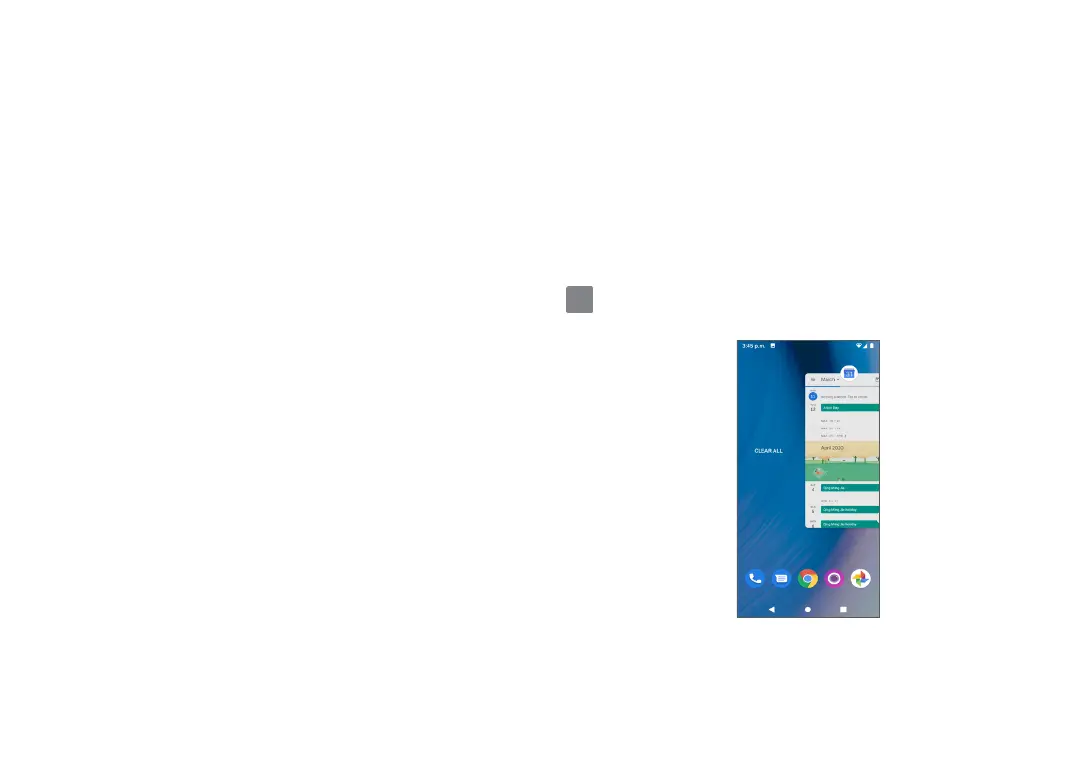
To consult recently used applications, tap Recent apps
. Tap a thumbnail in the window to open the
application.
Swipe up on a thumbnail to close an application.
Swipe right and tap CLEAR ALL to remove all recent
applications.


 To Next Page