23 24
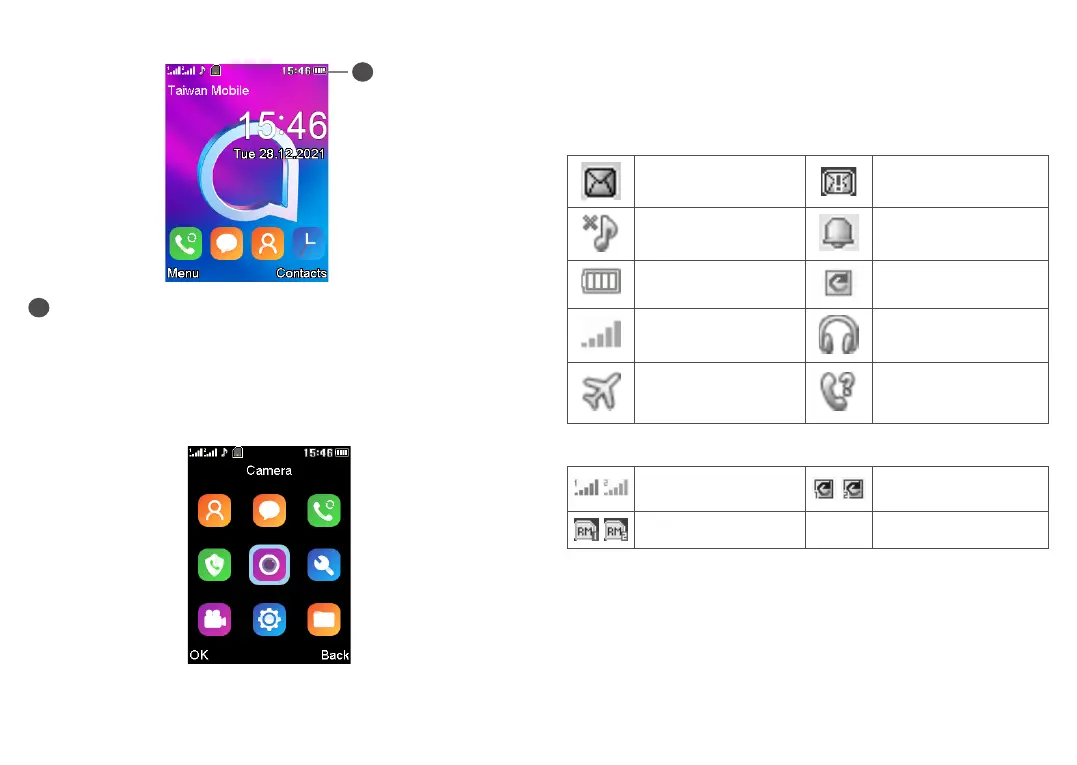
1.3 Home screen
1
1
Status bar
• Status/Notifications
1.4 App list
Press the Left soft key or Centre soft key from the Home screen to
access the App list.
1.4.1 Status bar
(1)
The Status bar appears at the top of your Home screen. Icons indicate
your phone’s status and new notification alerts appear in the Status
bar.
In 2057X
New message Message storage is full
Silent mode Alarm is set
Battery charge level Call divert
Level of network
reception
Headset connected
Aeroplane mode Missed calls
In 2057D
Level of network
reception
Call divert
Roaming
(1)
The icons and illustrations in this guide are provided for information
purposes only.



 To Next Page