27 28
2.4 Deleting a contact
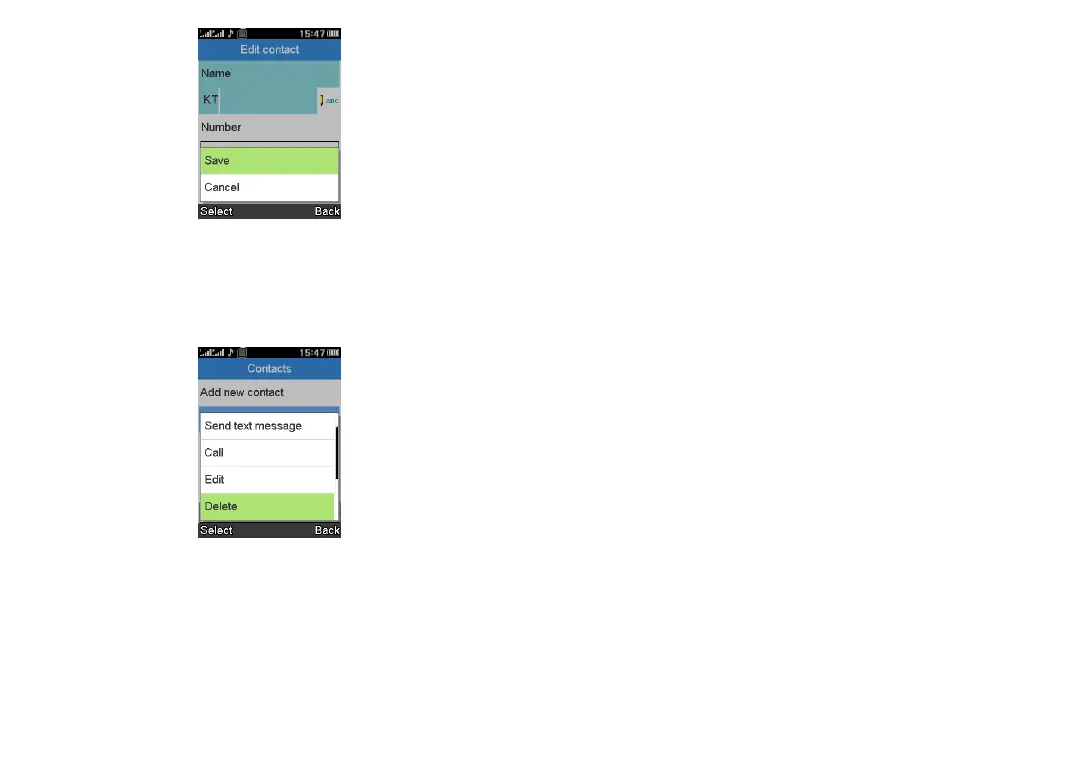
In your contacts list screen, select a contact you want to delete, press
the Left soft key to access Options, select Delete, and press the
Centre soft key to delete.
2.5 Available options
From the contact list, you can access the following options:
View
View the details of the contact you've selected.
Send a text message
Send an SMS to a contact you've selected from Contacts.
Call
Make a call to the selected contact.
Edit
Edit the contact you've selected.
Delete
Delete the contact you've selected.
Copy
Copy the contact you've selected to phone or to your SIM card.
Add to Blacklist
Add the contact you've selected to your Blacklist.
Phonebook settings
• Speed dial
You can turn on/off the status and set one or more speed dial
contacts at a time.
• Extra numbers
Enable/disable Fixed dial.
• Memory status
Review the memory status of your phone and SIM card.
• Copy contacts
Copy the contacts from your phone to your SIM card, or from your
SIM card to your phone.



 To Next Page